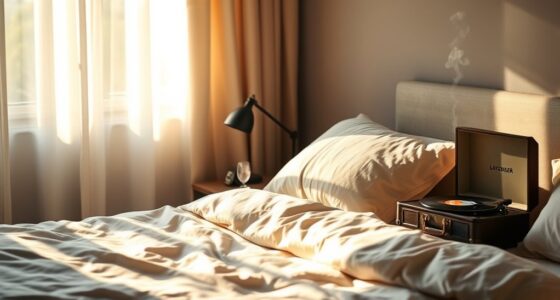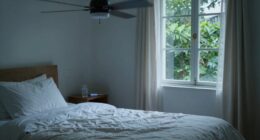
Using a fan for sleep can boost comfort by producing white noise and providing a cooling breeze, helping you fall asleep faster and stay asleep longer. It also circulates air, which may improve air quality if your room is poorly ventilated. However, fans can stir dust, allergens, or cause drafts that might be uncomfortable or aggravate allergies. To get the most benefits, it’s helpful to balance advantages with potential downsides—more tips are just ahead.
Listen free for 30 days with Audible
Thousands of audiobooks and originals — cancel anytime.
As an affiliate, we earn on qualifying purchases.
Key Takeaways
- Fans provide white noise and gentle airflow, enhancing sleep comfort and masking disruptive sounds.
- They promote evaporative cooling, making warm rooms feel cooler and improving sleep quality.
- Proper placement and cleaning prevent dust circulation, reducing allergy and respiratory issues.
- Energy-efficient and adjustable settings help balance comfort with power consumption.
- Direct drafts and noise sensitivity may cause discomfort; using timers and positioning optimally can mitigate these factors.
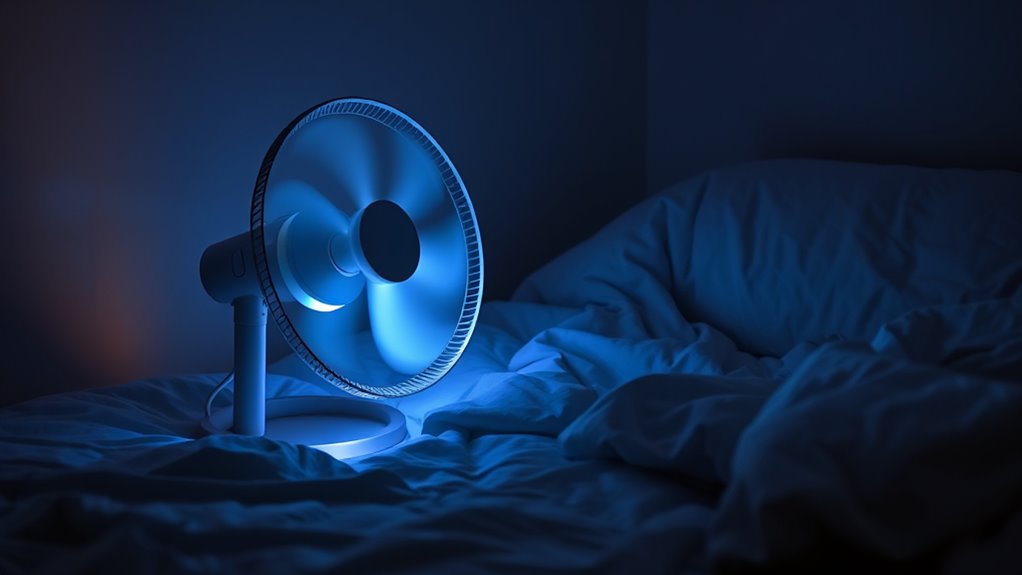
A fan can be a simple yet effective tool to help you fall asleep faster and enjoy more restful nights. It creates white noise that masks disruptive sounds and provides a soothing breeze, making sleep more comfortable. However, using a fan isn’t without its considerations, especially regarding air quality and energy consumption. When you run a fan regularly, it can circulate air within your room, which might improve air quality if your space is poorly ventilated. On the other hand, if the room has dust, allergens, or pet dander, a fan can stir these particles into the air, potentially aggravating allergies or respiratory issues. To maximize benefits and minimize drawbacks, it’s important to keep your fan and room clean and to contemplate good ventilation, perhaps by opening a window periodically or using an air purifier alongside your fan. Proper maintenance and air quality considerations are crucial for creating a healthier sleeping environment.
Energy consumption is another factor to think about. Fans are generally energy-efficient compared to air conditioning units, but they still use electricity, especially if left on throughout the night. If you’re concerned about your energy bill or environmental impact, choosing a fan with an adjustable speed or a timer can help you minimize unnecessary energy use. Setting your fan to turn off after you fall asleep or using a low setting can save power without sacrificing comfort. While fans don’t cool a room as effectively as an air conditioner, they do promote airflow and evaporative cooling on your skin, which can make a warm room feel cooler and more comfortable. This can be especially helpful during hot summer nights when a gentle breeze can make the difference between tossing and turning or drifting easily into sleep.
Despite their advantages, fans aren’t perfect for everyone. Some people might find the constant airflow or noise disruptive rather than calming. Additionally, if you’re sensitive to drafts, a fan blowing directly on you could cause discomfort or muscle stiffness. It’s also worth noting that fans can circulate dust and pollen, so if you have allergies, you might want to ponder using an air purifier or positioning the fan away from your face. Overall, using a fan for sleep can be a practical solution that promotes relaxation and cooling, but it’s essential to weigh the impact on air quality and energy consumption. Proper maintenance, thoughtful placement, and mindful usage can help you enjoy the benefits while minimizing any downsides, making your nights more restful and comfortable.
As an affiliate, we earn on qualifying purchases.
Frequently Asked Questions
Are Fans Safe for Children or Allergy Sufferers?
Fans can be safe for children and allergy sufferers if you choose models with child safety features and keep them well-maintained. However, allergy concerns arise if dust or mold accumulate in the fan, spreading allergens. Regular cleaning helps minimize this risk. Always supervise children near fans to prevent accidents, and consider air purifiers if allergies are severe. Your vigilance guarantees a safer, more comfortable sleep environment for everyone.
How Much Energy Does a Sleep Fan Typically Consume?
A sleep fan’s energy consumption is like a gentle stream, modest and steady. Typically, it uses between 20 to 100 watts, depending on size and speed settings. Its power usage is quite efficient, especially compared to larger appliances. If you run it all night, expect only a small increase in your energy bills. This makes a sleep fan a cost-effective way to enjoy white noise and cooling without draining your electricity.
Can Fans Help With Tinnitus or Other Sleep Disorders?
Fans can help with tinnitus and other sleep disorders by providing white noise benefits, which mask disruptive sounds. You’ll want to pay attention to fan noise levels, choosing a fan that produces a consistent, soothing sound without being too loud or harsh. By creating a calming environment, fans can improve your sleep quality, reduce stress, and help you fall asleep faster, especially if background noise is a problem.
What Maintenance Is Required to Keep a Sleep Fan Functioning?
To keep your sleep fan functioning well, you should regularly clean the blades to remove dust and debris, ensuring smooth operation. Check and replace the fan filter if your model has one, as a clean filter improves airflow and reduces noise. Additionally, inspect the cord and plug for damage, and tighten any loose screws or parts. Doing this maintenance helps your fan run quietly and efficiently, enhancing your sleep environment.
Do Fans Impact Air Quality or Circulate Dust?
Did you know that fans can circulate up to 50% more airborne particles in a room? Fans do impact air quality by moving dust and other particles around, which could worsen allergies or asthma. To minimize dust circulation, keep your fan blades and filters clean regularly. Using a HEPA filter alongside your fan can also help improve air quality and reduce dust in the air you breathe while sleeping.
energy-efficient oscillating fan with timer
As an affiliate, we earn on qualifying purchases.
As an affiliate, we earn on qualifying purchases.
Conclusion
Using a fan for sleep can create a calming white noise that masks disruptive sounds, helping you fall asleep faster. It also cools your room, making it more comfortable. However, be aware of potential downsides like dry air or allergies. Think of your fan as a gentle breeze guiding you into restful sleep—like a cozy cloud drifting by. Ultimately, if it suits your needs, a fan can be a simple, effective sleep partner, just like a trusted friend.
As an affiliate, we earn on qualifying purchases.
As an affiliate, we earn on qualifying purchases.
NFL season / tailgating Picks
team gear
As an affiliate, we earn on qualifying purchases.