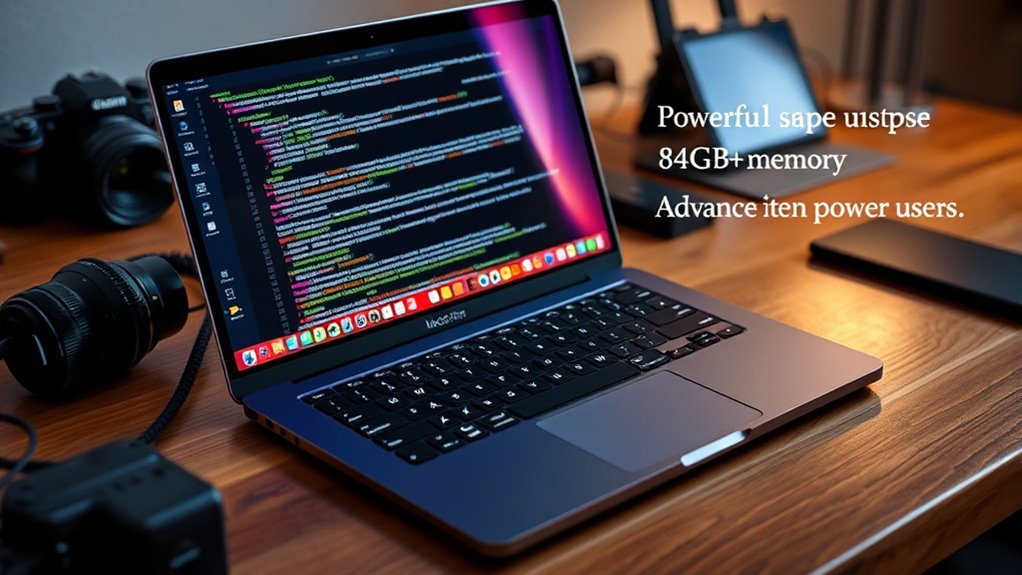

For most buyers seeking a MacBook Pro with 64GB unified memory, I’d start with the 16-inch M5 Pro: it pairs a large workspace and 2TB storage with a less GPU-focused configuration than the M5 Max models. The 14-inch M5 Pro with 2TB is a strong compact alternative, while the 16-inch M5 Max with nano-texture display suits demanding graphics work and bright environments. The main tradeoffs are screen size and portability, Pro versus Max graphics capability, storage capacity, and whether a renewed older model is worth its age and condition uncertainty. Continue reading for my full comparison and guidance on which configuration fits your workload.

Get health and wellness essentials delivered free with Prime
- Fast, free delivery on millions of items
- Prime Video, Amazon Music and more included
- Member-only deals all year
Key Takeaways
- The 16-inch M5 Pro is my balanced pick for buyers who want 64GB memory, a large display, and 1TB storage without choosing a Max-class GPU.
- The 14-inch M5 Pro offers 2TB in a smaller chassis, making it the clearest fit for mobile users who still need substantial local storage.
- M5 Max models pair 40-core GPUs with 2TB SSDs; choose one when GPU-heavy work justifies that configuration, not simply because 64GB sounds like a reason to step up.
- Screen size changes the experience more than the color choice: 16-inch models favor workspace, while 14-inch models reduce the carry burden.
- Renewed M1 Max, M2 Max, and M3 Max options trade newer-generation hardware for an older platform and renewed-unit variability; condition, support, and seller terms matter alongside the specifications.


| macbook pro with 64gb unified memory | Memory | Storage | Display | Chip |
|---|---|---|---|---|
| Apple 2023 MacBook Pro 16-inch | 64GB unified memory | 1TB SSD | 16.2-inch Liquid Retina XDR | Apple M3 Max |
| Apple MacBook Pro 16-inch with | 64GB unified memory | 1TB SSD | 16.2-inch Liquid Retina XDR, 3456 × 2234 pixels | Apple M5 Pro |
| Apple 14-inch MacBook Pro with | 64GB | 2TB SSD | 14.2-inch Liquid Retina XDR, 3024 × 1964 pixels | Apple M5 Pro |
| Apple MacBook Pro 16-inch with | 64GB unified memory | 2TB SSD | 16.2-inch Liquid Retina XDR with Nano-Texture Glass | Apple M5 Max |
| Apple 2021 MacBook Pro with M1 | 64GB RAM; listed as DDR4 SDRAM | 2TB SSD | 14-inch Retina LED, 2560 × 1600 pixels | — |
| Apple 2021 MacBook Pro with M1 | 64GB RAM | 1TB SSD | 16-inch | Apple M1 Max |
| Apple MacBook Pro 16.2-inch wi | 64GB unified memory | 2TB SSD | 16.2-inch Liquid Retina XDR | Apple M5 Max |
| Apple MacBook Pro 14.2-inch wi | 64GB unified memory | 2TB SSD | 14.2-inch Liquid Retina XDR | Apple M5 Max |
| Apple MacBook Pro 14.2-inch wi | 64GB unified memory | 2TB SSD | 14.2-inch Liquid Retina XDR in title and product details; feature text also cites 16.2 inches | Apple M5 Max |
| Apple MacBook Pro 16.2-inch wi | 64GB unified memory | 1TB SSD | 16.2-inch Liquid Retina XDR, Mini-LED | Apple M2 Max |
More Details on Our Top Picks
Apple 2023 MacBook Pro 16-inch with M3 Max, 16-Core CPU, 40-Core GPU, 64GB RAM, and 1TB SSD (Space Black, Renewed)
The 16-inch M3 Max pairs 64GB of unified memory with a 40-core GPU, giving graphics-heavy creative work more headroom than the M5 Pro models in this group. Its Liquid Retina XDR display and listed battery life of up to 22 hours also suit long editing sessions away from a desk. Compared with the newer 16-inch MacBook Pro with M5 Pro, this renewed model puts more emphasis on GPU capacity, while the M5 Pro listing includes a one-year limited warranty and newer 12MP Center Stage camera. The tradeoff here is its renewed condition and 90-day limited warranty, along with a listed weight of 8.4 pounds that may be cumbersome for frequent travel. I would choose it for GPU-focused work only if the renewed status fits the buyer’s expectations.
Pros:- M3 Max pairs a 16-core CPU with a 40-core GPU for demanding graphics work
- 64GB unified memory supports large creative projects and heavy multitasking
- 16.2-inch Liquid Retina XDR display provides a large, bright workspace
- Listed battery life is up to 22 hours
Cons:- Renewed condition may include signs of prior use
- 90-day limited warranty is shorter than the one-year warranty listed for the M5 Pro 16-inch model
- Listed weight of 8.4 pounds makes it a less convenient travel choice
Best for: Creative professionals prioritizing a 40-core GPU and 64GB memory in a large-screen MacBook Pro who are comfortable buying a renewed device.
Not ideal for: Frequent travelers and buyers who want a new device with a longer listed warranty; its 8.4-pound listed weight and renewed condition are drawbacks.
- Model year:2023
- Chip:Apple M3 Max
- CPU / GPU:16-core CPU / 40-core GPU
- Memory:64GB unified memory
- Storage:1TB SSD
- Display:16.2-inch Liquid Retina XDR
- Battery life:Up to 22 hours
- Condition / warranty:Renewed; 90-day limited warranty
Our verdict“Choose this renewed M3 Max for GPU-heavy work on a large display if its condition, shorter warranty, and listed weight suit your needs.”
Apple MacBook Pro 16-inch with M5 Pro, 18-Core CPU, 20-Core GPU, 64GB Memory, 1TB SSD
This 16-inch M5 Pro is the straightforward choice for buyers who want 64GB memory in a large MacBook Pro without moving up to the M5 Max models. Its 18-core CPU and 20-core GPU serve demanding professional workflows, while the 120Hz Liquid Retina XDR display gives a spacious canvas for timelines, documents, and design work. Compared with the M3 Max renewed model, it has fewer listed GPU cores but a newer chip, a 12MP Center Stage camera, and a one-year limited warranty. The 1TB SSD is half the capacity of the 14-inch M5 Pro option here, and the 16-inch chassis is less handy for commuting. It makes the most sense for desk-based professionals who value screen space and current-generation features over compactness or a larger internal drive.
Pros:- M5 Pro combines an 18-core CPU and 20-core GPU for professional workflows
- 64GB unified memory supports demanding multitasking
- 16.2-inch Liquid Retina XDR display has a 120Hz refresh rate
- Includes a 140W USB-C adapter and USB-C to MagSafe 3 cable
Cons:- Large 16-inch chassis is less convenient to carry than the 14-inch M5 Pro
- 1TB SSD offers less capacity than the 2TB drive in the 14-inch M5 Pro
- 20-core GPU has fewer listed cores than the M3 Max and M5 Max alternatives
Best for: Video editors, designers, and technical professionals who want 64GB memory, a large 16-inch display, and a one-year limited warranty.
Not ideal for: Mobile professionals who carry their laptop daily or users who need 2TB of built-in storage; the 16-inch form and 1TB SSD may not fit.
- Chip:Apple M5 Pro
- CPU / GPU:18-core CPU / 20-core GPU
- Memory:64GB unified memory
- Storage:1TB SSD
- Display:16.2-inch Liquid Retina XDR, 3456 × 2234 pixels
- Refresh rate:120Hz
- Camera:12MP Center Stage
- Warranty:1-year limited warranty with 90 days of technical support
Our verdict“Pick this M5 Pro for a newer, large-screen 64GB work machine when portability and 2TB storage are lower priorities.”
Apple 14-inch MacBook Pro with M5 Pro, 18-core CPU, 20-core GPU, 64GB Memory, 2TB SSD, Space Black
For buyers who need 64GB memory but want a more manageable laptop, this 14-inch M5 Pro is the most portable fit among the new M5 Pro options listed. It keeps the same 18-core CPU and 20-core GPU as the 16-inch M5 Pro, then adds a 2TB SSD and a stated battery life of up to 24 hours. That storage advantage matters to people keeping large project files on the laptop; the 16-inch M5 Pro has only 1TB. Compared with the 16-inch M5 Max, however, this model has a smaller display and a 20-core rather than 40-core GPU, making it a less compelling choice for GPU-intensive work or a wide editing canvas. The claimed battery runtime varies with use, and the 14.2-inch screen may feel tight for sustained, complex timelines.
Pros:- Compact 14.2-inch format is easier to carry than the 16-inch models
- 64GB memory and 2TB SSD provide capacity for demanding work and large local files
- M5 Pro has an 18-core CPU and 20-core GPU
- 120Hz Liquid Retina XDR display lists up to 1600 nits peak brightness
Cons:- 20-core GPU has fewer listed cores than the M5 Max models
- Smaller display offers less workspace than either 16-inch alternative
- Battery life varies by use and configuration
Best for: Mobile developers, photographers, and creative professionals who need 64GB memory and 2TB local storage in a smaller laptop.
Not ideal for: GPU-heavy video and 3D professionals who need the 40-core GPU or a larger screen, such as the 16-inch M5 Max configuration.
- Chip:Apple M5 Pro
- CPU / GPU:18-core CPU / 20-core GPU
- Memory:64GB
- Storage:2TB SSD
- Display:14.2-inch Liquid Retina XDR, 3024 × 1964 pixels
- Refresh rate / peak brightness:120Hz / up to 1600 nits
- Battery life:Up to 24 hours
- Dimensions:12.31 × 8.71 × 0.61 inches
Our verdict“Choose this 14-inch M5 Pro when carrying 64GB memory and 2TB of storage matters more than a larger screen or a 40-core GPU.”
Apple MacBook Pro 16-inch with M5 Max, 18-Core CPU, 40-Core GPU, Nano-Texture Display, 64GB Memory, 2TB SSD, Space Black
The M5 Max 40-core GPU gives this 16-inch MacBook Pro a clear role for buyers whose work depends on graphics throughput, from demanding creative production to on-device AI tasks. Its 64GB unified memory and 2TB SSD also provide substantial capacity for large projects, while the Nano-Texture display option and broad port selection suit a more stationary studio setup. Compared with the 16-inch M5 Pro, this configuration doubles the listed GPU core count and storage, but its 7.4-pound weight makes it a less appealing daily carry. The listing names three Thunderbolt 5 ports and support for up to four external displays, useful for a multi-monitor workstation. It does not state a battery runtime, so buyers who prioritize unplugged work have less guidance than with the M3 Max listing.
Pros:- M5 Max pairs an 18-core CPU with a 40-core GPU for demanding graphics workloads
- 64GB unified memory and 2TB SSD accommodate large professional projects
- Nano-Texture Liquid Retina XDR display option is suited to glare-sensitive workspaces
- Three Thunderbolt 5 ports and support for up to four external displays
Cons:- Listed weight of 7.4 pounds makes it a heavy travel companion
- Battery runtime is not provided in the product details
- More GPU capacity than the M5 Pro may go unused in CPU-focused or lighter workflows
Best for: Studio-based video, 3D, and AI professionals who need a 40-core GPU, 2TB storage, and connections for several displays.
Not ideal for: Commuters and buyers who need a stated battery runtime; the 7.4-pound weight and missing runtime detail make it harder to judge for mobile use.
- Chip:Apple M5 Max
- CPU / GPU:18-core CPU / 40-core GPU
- Memory:64GB unified memory
- Storage:2TB SSD
- Display:16.2-inch Liquid Retina XDR with Nano-Texture Glass
- Ports:Three Thunderbolt 5, MagSafe 3, SDXC card slot, HDMI, headphone jack
- External displays:Up to four
- Weight:7.4 pounds
Our verdict“Choose this M5 Max when GPU capacity, 2TB storage, and multi-display support matter more than carrying weight or a stated battery runtime.”
Apple 2021 MacBook Pro with M1 Max Chip, 14-inch, 64GB RAM, 2TB SSD, Silver (Renewed)
This renewed 14-inch M1 Max is the older-generation pick for buyers who want 64GB memory and a 2TB SSD in a smaller chassis. Its 10-core CPU and 24-core GPU still give this configuration a substantial spec foundation, and the storage capacity matches the newer 14-inch M5 Pro. Against that M5 Pro, however, the M1 Max is from 2021 and the listing specifies a Retina LED display rather than Liquid Retina XDR; its accessories are compatible but not original, and packaging is generic. The listing says the battery capacity exceeds 80%, which is useful context for a renewed laptop but still leaves less battery headroom than a new device may offer. This makes more sense for buyers who accept older hardware and renewed condition than for professionals seeking the latest display and platform features.
Pros:- 64GB memory and 2TB SSD provide substantial capacity for projects and multitasking
- M1 Max includes a 10-core CPU and 24-core GPU
- 14-inch size is more portable than the 16-inch M3 Max and M5 Max models
- Listing states the battery capacity exceeds 80%
Cons:- 2021 M1 Max is an older generation than the M5 Pro and M5 Max options
- Renewed, non-Apple-certified condition may include cosmetic imperfections
- Compatible accessories are not original and packaging is generic
Best for: Budget-conscious creative professionals who want a 14-inch MacBook Pro with 64GB memory and 2TB storage and accept renewed, older-generation hardware.
Not ideal for: Buyers seeking a current-generation chip, Liquid Retina XDR, original accessories, or a new-device purchase experience.
- Model year:2021
- Processor / graphics:Apple M1 Max 10-core CPU / 24-core GPU
- Memory:64GB RAM; listed as DDR4 SDRAM
- Storage:2TB SSD
- Display:14-inch Retina LED, 2560 × 1600 pixels
- Battery condition:Capacity exceeds 80%, per listing
- Condition:Renewed; not Apple certified
- Accessories:Compatible accessories in generic packaging
Our verdict“Consider this renewed M1 Max if 64GB memory and 2TB storage matter more than a newer chip, XDR display, and original accessories.”
Apple 2021 MacBook Pro with M1 Max Chip, 16-Inch, 64GB RAM, 1TB SSD, Space Grey (Renewed)
The 2021 M1 Max is the older-generation choice here for buyers who want 64GB of memory and a spacious 16-inch screen without needing the newest chip. Its 1TB SSD is half the capacity of the M5 Max 16.2-inch model, so large media libraries may need external storage. Compared with the 2023 M2 Max renewed model, this MacBook Pro uses an earlier processor generation, making it harder to justify for workloads that benefit from newer hardware. The shared renewed condition also means buyers should check the seller’s warranty and return terms. Its large display suits a mostly desk-based editing or development setup, but the size and weight make it less appealing for frequent travel. It makes the list for memory capacity and screen room, not for being the most current option.
Pros:- 64GB of RAM supports demanding multitasking and large creative projects
- 16-inch display gives more workspace than the 14.2-inch M5 Max models
- M1 Max chip is designed for demanding professional workloads
- 1TB SSD provides fast built-in storage
Cons:- Older M1 Max generation than the M2 Max and M5 Max options in this roundup
- Renewed condition may come with different warranty coverage than a new model
- Large 16-inch design is less convenient for frequent travel
Best for: Creative professionals who need 64GB of memory and a 16-inch workspace but are open to an earlier-generation, renewed MacBook Pro.
Not ideal for: Buyers who want a current-generation chip, 2TB of built-in storage, or a lightweight laptop for daily commuting.
- Chip:Apple M1 Max
- Memory:64GB RAM
- Storage:1TB SSD
- Display:16-inch
- Color:Space Grey
- Condition:Renewed
Our verdict“Choose this renewed M1 Max if a large screen and 64GB memory matter more than newer hardware or the 2TB storage found in the M5 Max models.”
Apple MacBook Pro 16.2-inch with M5 Max, 18-core CPU, 40-core GPU, 64GB Memory, 2TB SSD, Space Black
This is the strongest fit for buyers who want 64GB unified memory alongside a large display and substantial built-in storage. The M5 Max, 18-core CPU, and 40-core GPU target demanding creative and on-device AI work, while the 2TB SSD offers twice the capacity of the renewed M2 Max and M1 Max models in this batch. Compared with the 14.2-inch M5 Max options, the 16.2-inch screen gives more room for timelines, layered projects, and side-by-side windows; the cost is a listed weight of 8.5 pounds, making it the least travel-friendly choice in this group. Thunderbolt 5, HDMI, and SDXC reduce the need for adapters in many setups. I’d favor it as a powerful desk-oriented machine, but not for buyers who prize portability.
Pros:- M5 Max pairs an 18-core CPU with a 40-core GPU for demanding workloads
- 64GB unified memory and 2TB SSD support large projects and local files
- 16.2-inch Liquid Retina XDR display provides a broad workspace
- Thunderbolt 5, HDMI, and SDXC offer useful direct connections
Cons:- Listed weight of 8.5 pounds makes it cumbersome for regular travel
- Its larger footprint is less suited to compact workspaces than the 14.2-inch M5 Max models
Best for: Video editors, 3D artists, and AI developers who want 64GB memory, 2TB storage, a large work surface, and a broad port selection.
Not ideal for: Frequent travelers or buyers who can work comfortably on a 14.2-inch screen and want to carry less weight.
- Chip:Apple M5 Max
- CPU:18-core
- GPU:40-core
- Memory:64GB unified memory
- Storage:2TB SSD
- Display:16.2-inch Liquid Retina XDR
- Weight:8.5 pounds
- Ports:Three Thunderbolt 5, MagSafe 3, SDXC, HDMI, headphone jack
- Wireless:Wi-Fi 7, Bluetooth 6
Our verdict“Pick this 16.2-inch M5 Max when screen area and 2TB storage take priority over carrying comfort.”
Apple MacBook Pro 14.2-inch with M5 Max, 18-Core CPU, 40-Core GPU, 64GB Memory, 2TB SSD, Silver
This 14.2-inch model brings the same M5 Max, 64GB unified memory, and 2TB SSD combination as the 16.2-inch Space Black option into a smaller display format. That makes it a stronger match for buyers who need serious GPU capacity but prefer a more compact chassis. Compared with the larger M5 Max, the reduced screen area gives less room for long timelines and multiple panels, though the core memory and storage capacity remain aligned. The Liquid Retina XDR display, Thunderbolt 5, HDMI, and SDXC support demanding workflows without making the screen itself the main attraction. At a listed 5.5 pounds, it is still not a featherweight travel laptop, and the M5 Max configuration may be excessive for office work, browsing, or light photo editing. This is the portable-leaning pick among the M5 Max choices, not a basic-use value option.
Pros:- M5 Max with 18-core CPU and 40-core GPU suits demanding creative workloads
- 64GB unified memory and 2TB SSD provide capacity for large projects
- 14.2-inch Liquid Retina XDR display takes less space than the 16.2-inch M5 Max model
- Thunderbolt 5, HDMI, and SDXC support a range of external devices
Cons:- Smaller display provides less working room than the 16.2-inch M5 Max option
- Listed weight of 5.5 pounds remains substantial for frequent travel
- M5 Max hardware can be unnecessary for basic productivity tasks
Best for: Mobile video editors, designers, and developers who need M5 Max graphics and 64GB memory in a smaller-screen MacBook Pro.
Not ideal for: Everyday users with light workloads or buyers who need the larger 16.2-inch workspace for extended editing sessions.
- Chip:Apple M5 Max
- CPU:18-core
- GPU:40-core
- Memory:64GB unified memory
- Storage:2TB SSD
- Display:14.2-inch Liquid Retina XDR
- Weight:5.5 pounds
- Color:Silver
- Ports:Three Thunderbolt 5, MagSafe 3, SDXC, HDMI, headphone jack
Our verdict“Choose this silver 14.2-inch M5 Max if you need 64GB memory and top-tier graphics but prefer less screen bulk than the 16.2-inch model.”
Apple MacBook Pro 14.2-inch with M5 Max, 18-Core CPU, 40-Core GPU, 64GB Memory, 2TB SSD, Space Black
On the core workload specs, this Space Black configuration closely matches the silver 14.2-inch M5 Max: both list an 18-core CPU, 40-core GPU, 64GB memory, and 2TB SSD. The stated distinction is the finish and the inclusion of Thread alongside Wi-Fi 7 and Bluetooth 6, which may matter to buyers building a compatible connected-device setup. The listed weight is 7 pounds, heavier than the silver model’s stated 5.5 pounds, so I would verify the actual configuration details before choosing between them. Its 14.2-inch Liquid Retina XDR screen and wide port selection suit high-performance work without stepping up to the 16.2-inch M5 Max. However, the product information conflicts about screen size in one feature description, and that uncertainty makes it a less straightforward pick than the silver counterpart.
Pros:- M5 Max combines an 18-core CPU and 40-core GPU
- 64GB unified memory and 2TB SSD suit large creative projects
- Thunderbolt 5, HDMI, SDXC, and headphone connections support varied setups
- Wi-Fi 7, Bluetooth 6, and Thread are listed
Cons:- Product details conflict on display size, with feature text also citing 16.2 inches
- Listed weight of 7 pounds is higher than the silver 14.2-inch model’s 5.5 pounds
- Core performance and storage appear similar to the silver model, limiting the practical distinction
Best for: Creative professionals who want a Space Black 14.2-inch M5 Max configuration and value Thread support for compatible smart-device setups.
Not ideal for: Buyers who need fully consistent listing details or want the most clearly documented and lighter 14.2-inch M5 Max option.
- Chip:Apple M5 Max
- CPU:18-core
- GPU:40-core
- Memory:64GB unified memory
- Storage:2TB SSD
- Display:14.2-inch Liquid Retina XDR in title and product details; feature text also cites 16.2 inches
- Weight:7 pounds
- Color:Space Black
- Wireless:Wi-Fi 7, Bluetooth 6, Thread
Our verdict“Choose this only if the Space Black finish or listed Thread support matters to you, and confirm the display and weight details before buying.”
Apple MacBook Pro 16.2-inch with M2 Max, 64GB Memory, 1TB SSD (2023, Space Gray, Renewed)
The 2023 M2 Max model offers a middle ground between the older M1 Max and the newer M5 Max machines: it keeps a large 16.2-inch display and 64GB unified memory while moving to a newer chip generation than the 2021 renewed option. Its 12-core CPU and 38-core GPU are paired with a 1TB SSD, so it has less internal storage than either 2TB M5 Max configuration. The Liquid Retina XDR display’s Mini-LED backlight, P3 color, and stated peak brightness suit color-focused work, while the stated battery life reaches up to 22 hours. Compared with the 16.2-inch M5 Max, this renewed model gives up newer-generation hardware and half the storage. It remains a sensible fit for buyers prioritizing the large display and 64GB memory, provided they accept renewed condition.
Pros:- M2 Max has a 12-core CPU and 38-core GPU for professional workloads
- 64GB unified memory supports demanding multitasking
- 16.2-inch Mini-LED Liquid Retina XDR display includes P3 wide color
- Battery life is stated as up to 22 hours
Cons:- Renewed condition may mean warranty coverage differs from a new MacBook Pro
- 1TB SSD offers less capacity than the 2TB M5 Max models
- M2 Max is an older generation than the M5 Max options in this roundup
Best for: Editors and creative professionals who want a 16.2-inch XDR display, 64GB unified memory, and an M2 Max chip in a renewed machine.
Not ideal for: Buyers who require a new-condition laptop, 2TB storage, or the M5 Max generation’s listed CPU and GPU configuration.
- Model year:2023
- Chip:Apple M2 Max
- CPU:12-core
- GPU:38-core
- Memory:64GB unified memory
- Storage:1TB SSD
- Display:16.2-inch Liquid Retina XDR, Mini-LED
- Battery life:Up to 22 hours
- Condition:Renewed
Our verdict“Pick this renewed M2 Max for a large 16.2-inch XDR screen and 64GB memory if you can accept 1TB storage and older hardware than the M5 Max models.”

How We Picked
I ranked these configurations around what 64GB unified memory buyers are usually trying to solve: keeping demanding creative, development, or data workloads responsive while choosing a laptop that remains practical to carry and use. I compared chip tier and stated CPU/GPU configuration, screen size, SSD capacity, display options where specified, and whether the listing is new or renewed. The ranking favors a useful balance of capability and day-to-day fit over the biggest number in any one specification.
The M5 Pro models lead for buyers who need substantial memory but may not benefit from the M5 Max’s larger GPU configuration. The M5 Max picks follow for graphics-intensive workloads and display-specific needs, with 14- versus 16-inch size determining their audience. Renewed M3, M2, and M1 systems appear later because their older generation and renewed condition make them less straightforward long-term choices, even when their listed memory and storage remain appealing. I treat closely matched color variants as the same core configuration rather than assigning them different performance value.
| macbook pro with 64gb unified memory | Chip |
|---|---|
| Apple 2023 MacBook Pro 16-inch | Apple M3 Max |
| Apple MacBook Pro 16-inch with | Apple M5 Pro |
| Apple 14-inch MacBook Pro with | Apple M5 Pro |
| Apple MacBook Pro 16-inch with | Apple M5 Max |
| Apple 2021 MacBook Pro with M1 | — |
| Apple 2021 MacBook Pro with M1 | Apple M1 Max |
| Apple MacBook Pro 16.2-inch wi | Apple M5 Max |
| Apple MacBook Pro 14.2-inch wi | Apple M5 Max |
| Apple MacBook Pro 14.2-inch wi | Apple M5 Max |
| Apple MacBook Pro 16.2-inch wi | Apple M2 Max |
Factors to Consider When Choosing Macbook Pro With 64gb Unified Memory
With 64GB already specified across this lineup, the decision is less about memory capacity and more about what surrounds it. I’d match the chip, display, storage, and purchase condition to the work you actually do before choosing by generation or appearance.
Choose Pro or Max by the work, not the memory label
Unified memory is shared across the CPU and GPU, but choosing 64GB does not automatically mean you need a Max chip. The M5 Pro configurations here pair 64GB with a 20-core GPU, while the M5 Max options list a 40-core GPU, a more relevant distinction for graphics-heavy workflows. Video timelines, 3D rendering, and GPU-accelerated tasks may make the extra graphics resources useful; coding, large projects, and general creative work may not call for them. Think about which applications spend time waiting on GPU work, rather than treating every professional workload as equivalent. A common mistake is paying for a higher chip tier while leaving storage or screen needs unresolved. If your work is mostly CPU- or memory-bound, the Pro configuration may be the more sensible match.
Pick 14 or 16 inches around your working setup
A 14-inch MacBook Pro is easier to carry and takes less room on a small desk, while a 16-inch model gives more built-in screen space for timelines, code, and side-by-side windows. That difference can shape the workday more than a modest configuration change, especially if you often work away from an external monitor. The 16-inch M5 Pro and M5 Max models suit buyers who prefer a larger laptop display; the 14-inch M5 Pro and M5 Max choices favor mobility. Do not assume a smaller model is automatically the better travel computer if your work depends on a broad workspace for hours at a time. Likewise, a large display may be wasted if the laptop mostly stays docked to an external screen. Choose for the places you work most, not just the screen size that sounds more capable.
Treat SSD capacity as a workflow decision
This lineup spans 1TB and 2TB SSD configurations, so consider how much active work you keep on the laptop. Large video libraries, local datasets, virtual machines, and extensive creative assets can make 2TB more convenient and reduce reliance on external drives. A 1TB model may be enough if projects are archived elsewhere or you already use fast external storage. Storage needs are easy to underestimate because application files are only one part of a professional workload. Before buying, estimate the space needed for current projects, working copies, and temporary files rather than counting only finished work. More internal storage can simplify mobile work, but it does not replace a backup plan.
Evaluate renewed models with condition and support in mind
The renewed M1 Max, M2 Max, and M3 Max listings can appeal to buyers who value a higher-tier chip or generous storage in an older generation. Their listed 64GB memory remains relevant, but age, battery condition, cosmetic wear, included accessories, return terms, and seller-provided coverage can vary by unit. Read the specific listing details instead of assuming every renewed MacBook has the same refurbishment standard. Compare the older model’s exact configuration with the newer M5 options, including display size and SSD capacity, before treating it as a straightforward equivalent. A lower-generation system can be a reasonable choice for established workflows that already run well on that hardware. It is a less appealing fit if you want a new machine and a predictable condition from the outset.
Pay for display features only when they help your work
The 16-inch M5 Max configuration with a nano-texture display is the only listing here that calls out that screen treatment. A surface designed to reduce reflections may help if you work near bright windows or under strong lighting. It may matter much less in a controlled studio or a room where you can manage glare. Treat the feature as a comfort and environment choice, not as a substitute for GPU performance or storage capacity. Check whether the display option suits your usual workspace before letting it dictate the whole purchase. If lighting is not a recurring problem, compare the available screen sizes and chip configurations first.
Frequently Asked Questions
Is an M5 Pro with 64GB memory enough, or should I choose an M5 Max?
Choose the M5 Pro when your work benefits from 64GB of memory but does not regularly depend on heavy GPU processing. In this roundup, the M5 Pro listings have a 20-core GPU, while the M5 Max options list a 40-core GPU. That makes the Max more relevant for graphics-intensive rendering, 3D work, and other GPU-accelerated tasks. If you are unsure, check whether your main applications can use the extra GPU resources and whether your current workload is GPU-limited. The larger chip tier is not automatically a better fit for every professional.
Should I choose a 14-inch or 16-inch MacBook Pro if I use an external monitor?
If the laptop is usually docked, the 14-inch models may be easier to carry without giving up much in your main desk setup. The 16-inch screen is more useful when you often work away from the monitor and need more room for timelines, code, or reference material. Consider how often you work without the external display, not just how often you connect one. The lineup includes both sizes with M5 Pro and M5 Max configurations, so you can make this choice separately from the chip tier. For frequent travel, the smaller chassis can be a more practical daily companion.
Is a renewed M1 Max or M2 Max MacBook Pro a sensible choice for 64GB memory?
It can make sense if your existing applications run well on that generation and the specific renewed unit has clear condition, return, and coverage terms. The renewed listings offer 64GB memory, but they are older systems than the M5 configurations in this comparison. Check battery condition, cosmetic grading, included accessories, and the seller’s policies rather than relying on the model name alone. Also compare storage and screen size: the renewed options vary between 14- and 16-inch displays and between 1TB and 2TB SSDs. If long-term ownership predictability matters more than an older high-tier chip, a newer model may suit you better.
Is 1TB storage enough for a MacBook Pro with 64GB unified memory?
It can be enough when you keep completed projects on external storage or a managed archive and use the internal drive for active work. Buyers who retain large video files, datasets, virtual machines, or creative libraries locally may find 2TB more comfortable. Memory and storage solve different problems: 64GB helps manage active workloads, while SSD capacity determines how much data stays on the laptop. Estimate the space required for current projects and working copies before deciding. In this roundup, the newer M5 Pro choices include both a 1TB 16-inch model and a 2TB 14-inch model, so capacity and screen size may pull in different directions.
Which configuration makes the most sense if I want a nano-texture display?
The listed 16-inch M5 Max with nano-texture display is the option to focus on if glare is a persistent problem in your workspace. That display feature may be useful near windows or under strong overhead lighting, but it does not make the configuration a better choice for every buyer. If you work in controlled lighting, a standard display may be sufficient, and screen size or chip needs may matter more. Compare the listing’s other specifications and confirm that the display treatment is part of the exact configuration you are buying. Do not choose a more powerful GPU solely to obtain a screen feature unless the GPU also fits your work.
Conclusion
My best overall pick is the 16-inch M5 Pro with 64GB memory: it balances a large workspace with a less GPU-focused configuration than the M5 Max options. For best value, I’d compare the renewed M3 Max and M2 Max listings against your condition and support requirements rather than assume an older model is the right buy based on specifications alone. The best premium choice for GPU-intensive work is the 16-inch M5 Max with nano-texture display; choose the 14-inch M5 Max if you want that GPU tier in a more portable size. For beginners who are new to professional MacBook configurations, the M5 Pro is the clearest starting point, since the Max GPU is only useful when your applications can take advantage of it. For specific needs, choose the 14-inch M5 Pro with 2TB for mobile work with ample local storage, or the nano-texture M5 Max for a bright workspace. Match the configuration to your workload, screen preference, and tolerance for buying renewed, and the choice becomes much clearer.