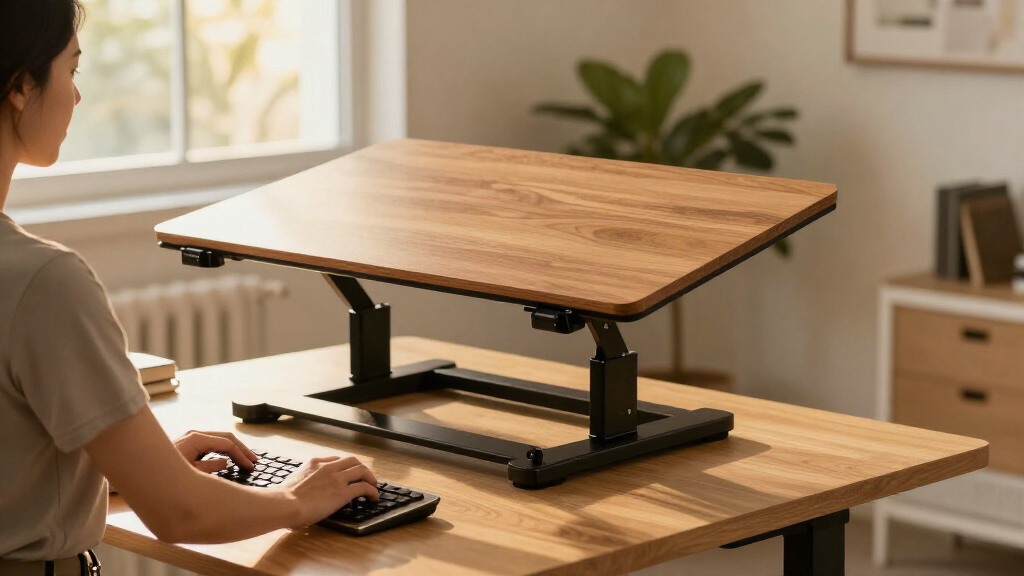
The VIVO 36-Inch Manual Standing Desk Converter with Keyboard Tray is my best overall pick for balancing a useful work surface with a separate keyboard area. For a broader setup, the VIVO 48-Inch model offers more room, while the FLEXISPOT 36-Inch converter is a strong alternative for shoppers comparing a familiar mid-size layout. The main tradeoffs are workspace width, keyboard-tray design, and how much desk area the raised converter occupies. Smaller models suit tighter desks but leave less room for accessories, while larger units may crowd a compact workstation. Read on for the full breakdown and recommendations by workspace and work style.

Get health and wellness essentials delivered free with Prime
- Fast, free delivery on millions of items
- Prime Video, Amazon Music and more included
- Member-only deals all year
Complete the kit


Key Takeaways
- The 36-inch converters emerge as the most balanced size in this lineup: they offer more room than the 23.6-, 26-, and 28-inch options without taking up as much desk width as the 42- and 48-inch models.
- Keyboard trays are a meaningful layout distinction, not an automatic upgrade: they separate the typing area from the main surface, but buyers should check whether their preferred keyboard and mouse arrangement will fit.
- The 48-inch VIVO is the clearest pick for a wide multi-item setup, while the 23.6-inch converter is aimed at very limited desk space; neither is as adaptable to general setups as the mid-size choices.
- Several 32-inch options differ mainly by brand, finish, or configuration, so buyers should compare the actual work surface and desk fit rather than treating color or brand name as a major functional advantage.
- This lineup is made up largely of manual converters, making desktop footprint, raised clearance, and the lifting mechanism more important comparison points than motorized controls or advanced presets.
| VIVO Manual Height-Adjustable Standing Desk Converter with 32-Inch White Top |  | Best for a Compact Dual-Monitor Setup | Work surface: 31.5 × 15.7 inches | Keyboard tray: 31.3 × 11.8 inches | Height adjustment range: 4.5–20 inches | VIEW LATEST PRICE | See Our Full Breakdown |
| VIVO 36-Inch Manual Standing Desk Converter with Keyboard Tray, Black |  | Best for a Wide Manual Workstation | Desktop dimensions: 36 × 15.7 inches | Keyboard tray dimensions: 36 × 11.8 inches; 10.2 inches at center | Height adjustment range: 4.5–20 inches | VIEW LATEST PRICE | See Our Full Breakdown |
| FLEXISPOT 36-Inch Height-Adjustable Standing Desk Converter, Black |  | Best for a Higher-Capacity Keyboard Tray | Dimensions: 36 × 24.9 × 19.6 inches | Item weight: 34.5 lbs | Desktop capacity: 33 lbs | VIEW LATEST PRICE | See Our Full Breakdown |
| VIVO 36-Inch Dual-Tier Standing Desk Converter, Black |  | Best for a Deep Work Surface | Surface dimensions: 36 × 22 inches | Keyboard tray dimensions: 25.2 × 10.6 inches | Height adjustment range: 6.5–17 inches | VIEW LATEST PRICE | See Our Full Breakdown |
| VIVO Manual Height-Adjustable Standing Desk Riser, 32-Inch, Black |  | Best Lightweight Pick for Smaller Setups | Desktop dimensions: 31.5 × 15.8 inches | Height range: 4.9–19.7 inches | Desktop weight capacity: 26 lbs | VIEW LATEST PRICE | See Our Full Breakdown |
| FITUEYES Height-Adjustable Standing Desk Converter, 32-Inch |  | Best for Smooth, Frequent Adjustments | Work surface: 31.5 × 15.7 inches | Height range: 4.3–19.8 inches | Load capacity: 33 pounds | VIEW LATEST PRICE | See Our Full Breakdown |
| VIVO Manual Height-Adjustable Standing Desk Converter, 29-Inch Black Top |  | Best for Beginners | Surface dimensions: 29.3 × 17.8 inches | Height range: 1.8–16.2 inches | Load capacity: 22 pounds | VIEW LATEST PRICE | See Our Full Breakdown |
| VIVO 28-Inch Manual Height-Adjustable Standing Desk Converter |  | Best Compact Two-Tier Pick | Desktop dimensions: 27.6 × 15.8 inches | Height range: 4.9–17.2 inches | Weight capacity: 28.6 pounds | VIEW LATEST PRICE | See Our Full Breakdown |
| Adjustable Height Standing Desk Converter, 23.6-Inch, Black |  | Best No-Assembly Compact Option | Work surface: 23.6 × 13.3 inches | Height range: 2.3–16 inches | Overall dimensions: 13.4 × 23.6 × 15.6 inches | VIEW LATEST PRICE | See Our Full Breakdown |
| VIVO 48-Inch Standing Desk Converter with Keyboard Tray, Black |  | Best for Wide Multi-Monitor Setups | Desktop dimensions: 47.6 × 15.7 inches | Keyboard tray dimensions: 47.6 × 11.8 inches; 10.2 inches at center | Height range: 4.5–20 inches | VIEW LATEST PRICE | See Our Full Breakdown |
| VIVO 26-Inch Manual Standing Desk Converter with Keyboard Tray, Black |  | Best Compact Pick | Desktop dimensions: 25.6 x 15.7 inches | Keyboard tray dimensions: 25.4 x 11.8 inches (11 inches at center) | Height adjustment range: 4.5–16.9 inches | VIEW LATEST PRICE | See Our Full Breakdown |
| TechOrbits Manual Height Adjustable Standing Desk Converter, 32-Inch Black Top |  | Best Lightweight Option | Work surface: 31.5 inches wide x 16.1 inches deep | Height range: 4.3–19.9 inches | Maximum weight capacity: 33 pounds | VIEW LATEST PRICE | See Our Full Breakdown |
| VIVO Manual Height-Adjustable Standing Desk Converter, 32-Inch Dark Walnut |  | Best for a Warm Wood Finish | Top dimensions: 31.5 x 15.7 inches | Keyboard tray dimensions: 31.3 x 11.8 inches | Height adjustment range: 4.5–20 inches | VIEW LATEST PRICE | See Our Full Breakdown |
| VIVO Manual Height-Adjustable Standing Desk Converter with 32-Inch Black Top |  | Best for Dual-Monitor Setups | Surface dimensions: 31.5 x 15.7 inches | Keyboard tray dimensions: 31.3 x 11.8 inches (10.5 inches at center) | Height range: 4.2–19.7 inches | VIEW LATEST PRICE | See Our Full Breakdown |
| VIVO 42-Inch Manual Standing Desk Converter with Keyboard Tray, Black |  | Best for the Widest Workstation | Desktop dimensions: 42 x 15.7 inches | Keyboard tray dimensions: 42 x 11.8 inches (10.2 inches at center) | Height adjustment range: 4.5–20 inches | VIEW LATEST PRICE | See Our Full Breakdown |
| adjustable standing desk converter | Item weight | Frame material | Assembly | Warranty |
|---|---|---|---|---|
| VIVO Manual Height-Adjustable | 26.2 lbs | Alloy steel | — | 3 years |
| VIVO 36-Inch Manual Standing D | 28.3 lbs | Alloy steel | — | 3 years |
| FLEXISPOT 36-Inch Height-Adjus | 34.5 lbs | Metal | Almost fully assembled; attach keyboard tray | — |
| VIVO 36-Inch Dual-Tier Standin | 33 lbs | Alloy steel | — | 3 years |
| VIVO Manual Height-Adjustable | 11.4 kg | Alloy steel | Attach keyboard tray using provided screws | 3 years |
| FITUEYES Height-Adjustable Sta | 27 pounds | — | — | — |
| VIVO Manual Height-Adjustable | 22.3 pounds | — | Preassembled | — |
| VIVO 28-Inch Manual Height-Adj | 25.3 pounds | Alloy steel | Attach keyboard tray | — |
| Adjustable Height Standing Des | — | — | No assembly required | — |
| VIVO 48-Inch Standing Desk Con | 33.2 pounds | — | Attach keyboard tray; place on an existing desk | — |
| VIVO 26-Inch Manual Standing D | 22.5 pounds | — | Minimal assembly required | 3 years |
| TechOrbits Manual Height Adjus | 16.7 pounds | Aluminum | — | 2 years |
| VIVO Manual Height-Adjustable | 25.7 pounds | Alloy steel | — | — |
| VIVO Manual Height-Adjustable | 26 pounds | Alloy steel | Minimal; attach the keyboard tray | 3 years |
| VIVO 42-Inch Manual Standing D | — | Alloy steel | Required; instructions included | 3 years |
More Details on Our Top Picks
VIVO Manual Height-Adjustable Standing Desk Converter with 32-Inch White Top
The 31.5-inch surface gives this VIVO a useful middle ground: enough room for a dual-monitor arrangement, without the wider footprint of the VIVO 36-Inch Manual Standing Desk Converter. Its desktop and keyboard tray rise together, so your typing position stays connected to the screens as you change height. The 4.5–20-inch range offers flexibility for seated and standing setups, while a manual lock holds the chosen position. At 26.2 pounds and with only the keyboard tray to attach, it is a relatively manageable option to set up on an existing desk. The tradeoff is its modest load limit: 33 pounds on top and 4.4 pounds on the tray can restrict heavier monitor or accessory arrangements. Choose it for a tidy dual-screen station, not a gear-heavy workstation.
Pros:- 31.5 × 15.7-inch top can accommodate a compact dual-monitor setup.
- Keyboard tray rises in sync with the desktop.
- Height-locking manual lift adjusts from 4.5 to 20 inches.
- Steel frame and minimal tray-only assembly simplify setup.
Cons:- Desktop capacity is limited to 33 pounds, with only 4.4 pounds supported on the keyboard tray.
- Requires a separate desk with enough room and a suitable surface.
Best for: Home-office users with two compact monitors who want a 32-inch converter and a white finish for an existing desk.
Not ideal for: People with heavy monitor arms, a large equipment load, or no existing desk; the desktop and tray have limited capacities, and this is a riser rather than a standalone desk.
- Work surface:31.5 × 15.7 inches
- Keyboard tray:31.3 × 11.8 inches
- Height adjustment range:4.5–20 inches
- Desktop weight capacity:33 lbs
- Keyboard tray weight capacity:4.4 lbs
- Item weight:26.2 lbs
- Frame material:Alloy steel
- Color:White
- Warranty:3 years
Our verdict“Choose this white 32-inch VIVO if you want a compact dual-monitor riser, but look to a larger converter or a higher-capacity tray for heavier equipment.”
VIVO 36-Inch Manual Standing Desk Converter with Keyboard Tray, Black
If your setup needs room for a monitor and laptop side by side, the 36 × 15.7-inch desktop is the main reason to choose this VIVO over the 32-inch white VIVO. Its keyboard tray moves with the top, and the manual lift locks anywhere from 4.5 to 20 inches, giving you a straightforward way to switch between sitting and standing. The steel frame supports a broad work surface, while the black engineered-wood top suits a conventional office setup. This model is a practical fit for buyers who want more width without moving to a larger, heavier platform such as the 36-inch FLEXISPOT. The tradeoffs are a 33-pound desktop limit and a 4.4-pound keyboard tray limit; partial assembly also means attaching the tray before use.
Pros:- 36-inch desktop provides more side-by-side room than the 32-inch VIVO models.
- Synchronized keyboard tray keeps the typing surface aligned as the converter rises.
- Manual height-locking adjustment spans 4.5–20 inches.
- Alloy-steel frame and three-year warranty.
Cons:- Desktop capacity is 33 pounds and keyboard tray capacity is 4.4 pounds.
- Keyboard tray must be attached before use.
Best for: Laptop-and-monitor users who want a wide 36-inch manual converter with a synchronized keyboard tray for an existing desk.
Not ideal for: People with heavy peripherals or a keyboard setup that exceeds the 4.4-pound tray capacity, or anyone who wants a ready-to-use unit without assembly.
- Desktop dimensions:36 × 15.7 inches
- Keyboard tray dimensions:36 × 11.8 inches; 10.2 inches at center
- Height adjustment range:4.5–20 inches
- Desktop weight capacity:33 lbs
- Keyboard tray weight capacity:4.4 lbs
- Item weight:28.3 lbs
- Desktop material:Engineered wood
- Frame material:Alloy steel
- Warranty:3 years
Our verdict“Pick this VIVO for a wider monitor-and-laptop setup with manual height control, but choose the FLEXISPOT if you need a higher-capacity keyboard tray.”
FLEXISPOT 36-Inch Height-Adjustable Standing Desk Converter, Black
The FLEXISPOT separates itself from the VIVO 36-inch manual converter with a keyboard tray rated for 11 pounds, rather than 4.4. That gives buyers more leeway for a heavier keyboard or accessories, while the 36-inch desktop can accommodate a dual-monitor arrangement. Its mechanical spring lift is designed for smooth height changes, and the reinforced metal frame adds support under the work surface. Nearly complete assembly is another plus if you would rather attach one tray than build up a converter from several parts. The tradeoff is portability: at 34.5 pounds, it is heavier than the comparable VIVO 36-inch model. The desktop still tops out at 33 pounds, so this is a better match for a heavier keyboard setup than for a workstation loaded with unusually heavy screens or equipment.
Pros:- 11-pound keyboard tray capacity exceeds the 4.4-pound limit on the VIVO 36-inch manual model.
- Mechanical spring lift is designed for smooth height adjustment.
- 36-inch desktop suits dual-monitor setups.
- Almost fully assembled; attach the included keyboard tray.
Cons:- At 34.5 pounds, it is heavier to reposition than the VIVO 36-inch manual converter.
- Desktop capacity remains limited to 33 pounds.
Best for: Dual-monitor home-office users who want a spring-lift converter and a keyboard tray that can support more than the 4.4-pound limit on comparable VIVO models.
Not ideal for: People who frequently move their converter, or users whose desktop equipment exceeds 33 pounds.
- Dimensions:36 × 24.9 × 19.6 inches
- Item weight:34.5 lbs
- Desktop capacity:33 lbs
- Keyboard tray capacity:11 lbs
- Top material:Engineered wood
- Frame material:Metal
- Adjustment system:Mechanical spring lift
- Assembly:Almost fully assembled; attach keyboard tray
Our verdict“Choose the FLEXISPOT if a sturdier-capacity keyboard tray matters more than easy repositioning, and skip it if you need a lighter converter.”
VIVO 36-Inch Dual-Tier Standing Desk Converter, Black
With a 36 × 22-inch top, this VIVO offers substantially more depth than the 15.7-inch surface on the VIVO 36-inch manual model. That extra room can help users arrange monitors and other desktop gear without crowding the front edge. Dual pneumatic springs raise the workstation, and the synchronized keyboard tray keeps typing aligned with the main surface. Its 6.5–17-inch adjustment range is narrower than the 4.5–20-inch range on both manual VIVO converters here, so it may suit buyers whose preferred desk positions fall within that span better than those who need maximum height flexibility. The plastic top is another clear compromise beside the engineered-wood FLEXISPOT desktop. At 33 pounds, it is also not a light riser to move. Choose it for usable depth, not for a refined top material or frequent repositioning.
Pros:- 36 × 22-inch surface is deeper than the 15.7-inch tops on the VIVO manual models.
- Dual pneumatic springs support smooth height adjustment.
- Keyboard tray rises with the desktop and can be removed.
- Minimal assembly is required.
Cons:- Height range of 6.5–17 inches is narrower than the 4.5–20-inch range on the manual VIVO converters.
- Plastic desktop may be less appealing than the engineered-wood top on the FLEXISPOT.
- Weighs 33 pounds, making it less convenient to reposition.
Best for: Desk workers who need a deeper 36-inch platform for monitors and accessories, with a keyboard tray that moves in sync.
Not ideal for: Buyers who need a broader height range, prefer an engineered-wood top, or plan to move the 33-pound converter often.
- Surface dimensions:36 × 22 inches
- Keyboard tray dimensions:25.2 × 10.6 inches
- Height adjustment range:6.5–17 inches
- Item weight:33 lbs
- Top material:Plastic
- Frame material:Alloy steel
- Adjustment mechanism:Dual pneumatic springs
- Keyboard tray:Removable; raises with desktop
- Warranty:3 years
Our verdict“Choose this VIVO when desktop depth is your priority, but select a manual VIVO model if you need a wider height range.”
VIVO Manual Height-Adjustable Standing Desk Riser, 32-Inch, Black
At 11.4 kg, this 32-inch VIVO is easier to reposition than the 26.2-pound white VIVO and the 33-pound VIVO dual-tier model. Its pneumatic lift raises the desktop and keyboard tray together, with a height range of 4.9–19.7 inches that comes close to the wider range on the manual VIVO converters. The engineered-wood top and steel frame offer a familiar, practical layout for a compact workstation. The main limitation is the 26-pound desktop capacity, which is lower than the 33-pound rating on the other VIVO models in this group. That makes it a sensible choice for a lighter monitor-and-keyboard arrangement, but a poor fit for a dense collection of equipment. Like the other risers here, it needs a separate desk and requires tray attachment.
Pros:- Pneumatic lift adjusts from 4.9 to 19.7 inches and includes a height lock.
- Keyboard tray moves in sync with the desktop.
- At 11.4 kg, it is lighter than the 33-pound VIVO dual-tier converter.
- Engineered-wood top and alloy-steel frame.
Cons:- Desktop capacity is limited to 26 pounds, below the 33-pound rating of the other VIVO converters here.
- Requires an existing desk and attachment of the keyboard tray.
Best for: People with a lighter single-monitor setup who want a 32-inch converter that is easier to reposition than the larger 36-inch options.
Not ideal for: Dual-monitor users with heavy equipment or anyone who needs more than 26 pounds of desktop capacity.
- Desktop dimensions:31.5 × 15.8 inches
- Height range:4.9–19.7 inches
- Desktop weight capacity:26 lbs
- Item weight:11.4 kg
- Frame material:Alloy steel
- Top material:Engineered wood
- Assembly:Attach keyboard tray using provided screws
- Warranty:3 years
Our verdict“Pick this VIVO for a lighter, smaller setup that benefits from easier repositioning, but choose a 33-pound-capacity model for heavier equipment.”
FITUEYES Height-Adjustable Standing Desk Converter, 32-Inch
The FITUEYES 32-Inch is a strong fit for people who expect to switch positions throughout the day: its dual gas springs and touch height lock adjust the platform across a broad 4.3–19.8-inch range. A separate keyboard tray keeps typing lower than the monitor surface, unlike the single-level VIVO DESK-V000U, which asks you to fit keyboard and display on one plane. Its 31.5-inch width accommodates a monitor-and-laptop arrangement, though the 15.7-inch depth leaves less room for accessories than a larger converter such as the VIVO DESK-V048KB. The 33-pound capacity supports a moderate setup, but the converter itself weighs 27 pounds, so relocating it is a chore. I’d choose it for easy height changes and a tiered layout, not for an expansive desktop or frequent moving.
Pros:- Dual gas springs support smoother height changes.
- Touch height lock lets users select a working position.
- Separate keyboard tray keeps typing on a lower tier.
- 33-pound capacity suits many standard monitor setups.
Cons:- The 15.7-inch-deep work surface can feel cramped with accessories.
- At 27 pounds, it is cumbersome to reposition.
Best for: People who alternate sitting and standing often and want a separate keyboard tier for a monitor-and-laptop setup.
Not ideal for: Users with bulky equipment, lots of desk accessories, or a need to move the converter regularly; its surface is relatively shallow and the unit weighs 27 pounds.
- Work surface:31.5 × 15.7 inches
- Height range:4.3–19.8 inches
- Load capacity:33 pounds
- Item weight:27 pounds
- Adjustment mechanism:Dual gas springs with touch height lock
- Levels:2
- Material and finish:Metal, powder coated
- Model:ZRW-DNSJZ-TMM4
Our verdict“Choose the FITUEYES if smooth adjustments and a separate keyboard tier matter more than a large work surface or easy portability.”
VIVO Manual Height-Adjustable Standing Desk Converter, 29-Inch Black Top
The VIVO DESK-V000U is the most straightforward entry in this group: it arrives preassembled, then raises and lowers manually for a simple sit-or-stand routine. Its 29.3 × 17.8-inch surface gives a monitor or laptop and a full-sized keyboard room on the same level. That uncomplicated layout is easier to approach than the FITUEYES 32-Inch, which adds a separate keyboard tier, but it gives up the more organized typing position that tier provides. The tradeoff is also visible in its 22-pound capacity, lower than the 28.6-pound rating of the VIVO DESK-V028S. This makes sense for a modest laptop or monitor setup, not a heavy collection of equipment. I’d skip it if you want a moving keyboard tray or need extra load headroom.
Pros:- Arrives preassembled and ready to place on a desk.
- 29.3 × 17.8-inch surface fits a display and full-sized keyboard.
- Height range starts at 1.8 inches, allowing a low seated position.
- Manual adjustment supports alternating between sitting and standing.
Cons:- 22-pound capacity limits heavier equipment setups.
- Single-level surface offers no separate keyboard tray.
Best for: First-time converter buyers with a lightweight laptop or monitor setup who want a ready-to-use, single-level platform.
Not ideal for: People using heavier monitor arms or several devices, or anyone who prefers a separate keyboard tier; its capacity is 22 pounds and its surface has one level.
- Surface dimensions:29.3 × 17.8 inches
- Height range:1.8–16.2 inches
- Load capacity:22 pounds
- Item weight:22.3 pounds
- Assembly:Preassembled
- Levels:1
- Materials:Alloy steel and engineered wood
- Model:DESK-V000U
Our verdict“Pick the DESK-V000U for a simple, preassembled starter converter with a light setup, but choose a tiered model for a dedicated typing surface.”
VIVO 28-Inch Manual Height-Adjustable Standing Desk Converter
For a smaller desk where a separate typing area still matters, the VIVO DESK-V028S offers a useful middle ground: its keyboard tray rises with the desktop, so the two surfaces stay aligned as the converter moves. At 27.6 inches wide, it takes up less room than the 31.5-inch FITUEYES and far less than the 47.6-inch VIVO DESK-V048KB. The compact footprint comes with a clear compromise: the 15.8-inch-deep desktop leaves limited space for extra gear, and its 28.6-pound capacity is below the 33-pound ratings of those wider models. The pneumatic lift and height lock add control, while near-complete assembly means only the tray needs attaching. I’d favor this model when desk space is tight, but not when a dual-monitor layout or broad accessory area is the priority.
Pros:- Synchronized keyboard tray maintains a two-tier layout while adjusting.
- Pneumatic lift and height lock support controlled positioning.
- Compact 27.6-inch width uses less desk space than larger options.
- Requires only keyboard-tray attachment before use.
Cons:- The desktop is shallow for accessories or larger equipment.
- 28.6-pound capacity is lower than the 33-pound FITUEYES and VIVO 48-Inch models.
Best for: Home-office users with limited desk width who want a separate, synchronized keyboard tray for a single-monitor setup.
Not ideal for: Dual-monitor users or people with heavy equipment and many accessories; the compact top and 28.6-pound capacity restrict larger setups.
- Desktop dimensions:27.6 × 15.8 inches
- Height range:4.9–17.2 inches
- Weight capacity:28.6 pounds
- Item weight:25.3 pounds
- Lifting mechanism:Pneumatic spring
- Desktop material:Engineered wood
- Frame material:Alloy steel
- Assembly:Attach keyboard tray
Our verdict“Choose the DESK-V028S when a compact footprint and separate keyboard tier matter more than room for multiple monitors or accessories.”
Adjustable Height Standing Desk Converter, 23.6-Inch, Black
The Raathionty FQD-01 suits buyers who want a small converter they can use right away: it requires no assembly and adjusts from 2.3 to 16 inches on an existing desk, table, or bed. Its 23.6 × 13.3-inch surface is the narrowest in this batch, so it is better suited to a compact laptop or carefully arranged monitor-and-keyboard setup than the roomier VIVO DESK-V000U. Unlike that VIVO model, the Raathionty’s product details do not specify a load capacity or a separate keyboard tray, which makes it harder to judge for heavier equipment and leaves less room to separate typing from the display. The manual adjustment keeps the design simple, but frequent height changes may take more effort than a spring-assisted model. I’d pick it for a small, flexible workspace—not a multi-device desk.
Pros:- No assembly is required.
- Can be placed on a desk, table, or bed.
- 2.3–16-inch adjustment range supports seated and standing positions.
- Wood top and metal base provide a simple, compact platform.
Cons:- 23.6 × 13.3-inch surface limits space for larger setups.
- Manual adjustment may be less convenient for frequent changes.
- Product data does not state a load capacity or include a separate keyboard tray.
Best for: Students or remote workers with a compact laptop setup who need a ready-to-use riser that can sit on different surfaces.
Not ideal for: People with large monitors, multiple devices, or a need for a specified load rating and separate keyboard tier; the surface is small and those details are not provided.
- Work surface:23.6 × 13.3 inches
- Height range:2.3–16 inches
- Overall dimensions:13.4 × 23.6 × 15.6 inches
- Top material:Wood
- Base material:Metal
- Adjustment:Manual
- Assembly:No assembly required
- Model:FQD-01
Our verdict“Choose the Raathionty for a compact, no-assembly workstation, but look to a larger converter with a stated capacity for heavier or more complex equipment.”
VIVO 48-Inch Standing Desk Converter with Keyboard Tray, Black
The VIVO DESK-V048KB stands apart for buyers who need width: its 47.6-inch desktop can accommodate a dual-monitor arrangement with space for a laptop, while its matching-width keyboard tray moves in sync with the top. That gives it a more expansive work zone than the 31.5-inch FITUEYES, though the VIVO is also heavier at 33.2 pounds and takes up substantially more desk space. The 4.5–20-inch range and touch height lock support position changes, but the stated capacities are split: the desktop holds up to 33 pounds, while the keyboard tray is rated for just 4 pounds. I’d treat that tray limit as a real constraint when choosing a keyboard and accessories. Minimal assembly is required, but this still needs a sturdy existing desk beneath it.
Pros:- 47.6-inch desktop provides room for dual monitors and a laptop.
- Full-width keyboard tray moves in sync with the desktop.
- Touch height lock supports positioning across a 4.5–20-inch range.
- Steel frame and laminated desktop are suited to regular office use.
Cons:- Large footprint may overwhelm a compact desk.
- Keyboard tray supports only 4 pounds.
- At 33.2 pounds, it is difficult to move often and requires an existing desk.
Best for: Desk workers with two monitors and a laptop who want a broad, synchronized keyboard tray and have a large, sturdy desk.
Not ideal for: People with small desks, frequent relocation needs, or heavier keyboard-tray loads; the converter is wide and the tray capacity is 4 pounds.
- Desktop dimensions:47.6 × 15.7 inches
- Keyboard tray dimensions:47.6 × 11.8 inches; 10.2 inches at center
- Height range:4.5–20 inches
- Desktop capacity:33 pounds
- Keyboard tray capacity:4 pounds
- Item weight:33.2 pounds
- Frame and base:Steel frame and alloy base
- Assembly:Attach keyboard tray; place on an existing desk
Our verdict“Choose the DESK-V048KB for a wide multi-monitor workstation if your desk can support its footprint and your keyboard-tray load stays within its 4-pound limit.”
VIVO 26-Inch Manual Standing Desk Converter with Keyboard Tray, Black
The VIVO 26-Inch suits a small desk or a pared-back workstation where a wider riser would crowd the room. Its desktop and keyboard tray rise together, keeping the keyboard in a consistent position as you change height; the manual lock lets you set the converter between 4.5 and 16.9 inches. Compared with the larger VIVO 32-Inch Black Top, this model gives up room for multiple monitors and accessories in exchange for a smaller footprint. The steel frame supports 33 pounds on the desktop, but the tray’s 4.4-pound limit rules out a heavy keyboard setup, and the 25.6-by-15.7-inch top leaves little spare space. Minimal assembly is a plus for buyers who want a straightforward riser, though its height range is shorter than the 32-inch alternatives.
Pros:- Compact 25.6-by-15.7-inch desktop fits smaller work areas.
- Keyboard tray moves in sync with the desktop.
- Steel frame supports up to 33 pounds on the desktop.
- Minimal assembly and a locking manual height adjustment.
Cons:- The 4.4-pound keyboard tray capacity excludes heavier keyboard setups.
- The small desktop leaves limited room for monitors and accessories.
- Its 4.5–16.9-inch range is shorter than the larger VIVO options.
Best for: People with a narrow desk, a laptop-based setup, or limited room who want a synchronized keyboard tray.
Not ideal for: Dual-monitor users or anyone with a heavy keyboard and accessories; the compact surface and 4.4-pound tray limit restrict those setups.
- Desktop dimensions:25.6 x 15.7 inches
- Keyboard tray dimensions:25.4 x 11.8 inches (11 inches at center)
- Height adjustment range:4.5–16.9 inches
- Desktop weight capacity:33 pounds
- Keyboard tray weight capacity:4.4 pounds
- Item weight:22.5 pounds
- Materials:Laminated engineered-wood desktop; alloy-steel frame
- Assembly:Minimal assembly required
- Warranty:3 years
Our verdict“Choose this compact VIVO for a laptop or single-screen setup on a crowded desk, but pick a 32-inch model if you need more working room.”
TechOrbits Manual Height Adjustable Standing Desk Converter, 32-Inch Black Top
The TechOrbits 32-Inch is a practical choice for someone who wants a broader work surface without lifting a heavier converter onto the desk: it weighs 16.7 pounds, less than the listed VIVO 32-inch models. Its manual pneumatic lift spans 4.3 to 19.9 inches, giving it a broad adjustment range, and the included keyboard tray keeps the setup ready for alternating between sitting and standing. The 31.5-inch-wide surface is roomier than the VIVO 26-Inch, but its 16.1-inch depth still limits space for bulky monitors or a deep accessory layout. Both options top out at 33 pounds on the work surface; TechOrbits’ aluminum frame and lighter build favor easier repositioning, while the VIVO models specify steel frames. Minimal assembly helps, though the available data gives no separate tray weight limit.
Pros:- 16.7-pound item weight makes it lighter than the listed VIVO 32-inch converters.
- Manual pneumatic lift adjusts from 4.3 to 19.9 inches.
- 31.5-inch-wide work surface is more accommodating than compact risers.
- Includes a keyboard tray and requires minimal assembly.
Cons:- The 16.1-inch depth may feel restrictive with bulky equipment.
- The 33-pound maximum limits heavier monitor-and-accessory setups.
- No separate keyboard-tray weight capacity is provided in the product data.
Best for: Home-office users who want a 32-inch surface and may need to move the converter between desks.
Not ideal for: People with a deep monitor stand, several large accessories, or a setup that needs a stated keyboard-tray load limit.
- Work surface:31.5 inches wide x 16.1 inches deep
- Height range:4.3–19.9 inches
- Maximum weight capacity:33 pounds
- Item weight:16.7 pounds
- Lift type:Manual pneumatic
- Top material:Engineered wood (MDF)
- Frame material:Aluminum
- Included components:Keyboard tray
- Warranty:2 years
Our verdict“Pick TechOrbits if a lighter 32-inch converter matters more than a deeper work surface or a documented tray capacity.”
VIVO Manual Height-Adjustable Standing Desk Converter, 32-Inch Dark Walnut
For buyers who want a larger VIVO converter without a black desktop, the Dark Walnut 32-Inch combines a warm finish with a familiar steel-frame design. Its surface measures 31.5 by 15.7 inches, and the synchronized keyboard tray rises with the top, so keyboard position changes along with the work surface. The height range reaches 20 inches, slightly higher than the TechOrbits 32-Inch’s stated 19.9-inch maximum, while both have a 33-pound desktop limit. Compared with the VIVO 32-Inch Black Top, the main distinction in the supplied specifications is finish rather than workspace or capacity. The tradeoff is the same narrow depth and a keyboard tray rated for only 4.4 pounds. It works for a laptop or modest monitor setup, but the dark walnut color does not buy more room for equipment.
Pros:- Dark walnut finish offers an alternative to the black VIVO models.
- 31.5-by-15.7-inch desktop provides more width than the 26-inch VIVO.
- Keyboard tray rises in sync with the desktop.
- Height range reaches 20 inches and the steel frame supports 33 pounds on top.
Cons:- Keyboard tray capacity is limited to 4.4 pounds.
- The 15.7-inch depth can constrain larger monitor arrangements.
- The desktop weight limit matches smaller alternatives rather than adding capacity.
Best for: Buyers who want a 32-inch VIVO converter in a dark wood-look finish for a laptop or modest monitor setup.
Not ideal for: Users who need a deep desktop, a heavy keyboard, or extra capacity beyond a 33-pound desktop limit.
- Top dimensions:31.5 x 15.7 inches
- Keyboard tray dimensions:31.3 x 11.8 inches
- Height adjustment range:4.5–20 inches
- Desktop weight capacity:33 pounds
- Keyboard tray weight capacity:4.4 pounds
- Item weight:25.7 pounds
- Top material:Engineered wood
- Frame material:Alloy steel
- Color:Dark walnut
Our verdict“Choose this model for its dark walnut finish and synchronized tray, not for extra workspace or a higher load limit.”
VIVO Manual Height-Adjustable Standing Desk Converter with 32-Inch Black Top
The VIVO 32-Inch Black Top is the better fit for a conventional two-monitor arrangement when you want the keyboard to move with the screens. Its 31.5-by-15.7-inch surface is designed for dual monitors, and the lift-assist mechanism adjusts from about 4.2 to 19.7 inches with a touch-locking control. Compared with the Dark Walnut VIVO 32-Inch, it offers a similar footprint and 33-pound limit but a slightly lower maximum height; the choice between them is largely about finish and stated adjustment range. The TechOrbits 32-Inch reaches a higher maximum and weighs less, but uses an aluminum frame rather than this model’s steel frame. Here, the principal constraint is shared with the other 32-inch options: 33 pounds total on the desktop, plus a narrower keyboard tray than the top.
Pros:- 31.5-inch-wide surface is suited to a dual-monitor layout.
- Keyboard tray rises together with the desktop.
- Lift assist and touch locking support height changes from 4.2 to 19.7 inches.
- Alloy-steel frame and three-year warranty.
Cons:- The 33-pound maximum must cover monitors and all desktop equipment.
- Keyboard tray is narrower than the desktop and measures 10.5 inches at center.
- Its maximum height is below the Dark Walnut VIVO 32-Inch and TechOrbits 32-Inch.
Best for: Workers with two modest monitors who want a synchronized keyboard tray and a black desktop.
Not ideal for: People using heavy monitors, a large monitor stand, or a particularly wide keyboard; the total load and tray dimensions may be restrictive.
- Surface dimensions:31.5 x 15.7 inches
- Keyboard tray dimensions:31.3 x 11.8 inches (10.5 inches at center)
- Height range:4.2–19.7 inches
- Maximum weight recommendation:33 pounds
- Item weight:26 pounds
- Frame material:Alloy steel
- Top material:Engineered wood
- Assembly:Minimal; attach the keyboard tray
- Warranty:3 years
Our verdict“Choose this VIVO for a two-monitor workspace with a synchronized tray, provided your equipment stays within the 33-pound limit.”
VIVO 42-Inch Manual Standing Desk Converter with Keyboard Tray, Black
Among these five converters, the VIVO 42-Inch gives the most room to spread out: its 42-inch desktop and matching-width tray can accommodate a broader monitor arrangement than the 26- and 32-inch models. The 4.5-to-20-inch height range also matches the highest stated maximum in this group, while the tray rises in sync with the desktop. That extra width is useful, but it does not bring extra load capacity: the top still supports up to 33 pounds, just like the smaller VIVO and TechOrbits options. Its 4.4-pound tray limit likewise calls for a light keyboard setup. Compared with the VIVO 32-Inch Black Top, this model gives equipment more horizontal room but takes up more desk space and requires assembly. It makes sense for a wide, carefully sized workstation, not a small desktop.
Pros:- 42-inch desktop provides the widest work surface in this group.
- Wide synchronized keyboard tray supports a spread-out workstation.
- Height adjusts from 4.5 to 20 inches.
- Alloy-steel frame and three-year warranty.
Cons:- The wide footprint needs substantial desk space.
- Desktop capacity remains 33 pounds despite the larger surface.
- Keyboard tray is limited to 4.4 pounds, and assembly is required.
Best for: People with a wide desk and multiple monitors who need more horizontal workspace than a 32-inch converter provides.
Not ideal for: Users with a small desk, heavy monitor equipment, or a keyboard setup that exceeds the tray’s 4.4-pound capacity.
- Desktop dimensions:42 x 15.7 inches
- Keyboard tray dimensions:42 x 11.8 inches (10.2 inches at center)
- Height adjustment range:4.5–20 inches
- Desktop weight capacity:33 pounds
- Keyboard tray weight capacity:4.4 pounds
- Desktop material:Engineered wood / particle board
- Frame material:Alloy steel
- Assembly:Required; instructions included
- Warranty:3 years
Our verdict“Pick the 42-inch VIVO when horizontal workspace is your priority and your desk and equipment load can accommodate its size limits.”
How We Picked
I ranked these adjustable standing desk converters around the decisions that shape everyday fit: usable width, keyboard and mouse layout, manual height adjustment, and the footprint left on the desk. I gave more weight to models that appear versatile for a typical home or office setup, while recognizing that a compact converter can be a better match when desk space is limited and a wide model can suit users with multiple screens or accessories.
The order also reflects how clearly each product serves a distinct buyer. Models with a separate keyboard tray or a broader surface earn attention when those features address a real setup need, but they are not automatically ranked above simpler designs. Since the listed options are mainly manual and several share similar dimensions, I treat differences in size and layout as more useful than finish alone; buyers should confirm current dimensions, adjustment range, load limits, and assembly details before purchase.
| adjustable standing desk converter | Frame material |
|---|---|
| VIVO Manual Height-Adjustable | Alloy steel |
| VIVO 36-Inch Manual Standing D | Alloy steel |
| FLEXISPOT 36-Inch Height-Adjus | Metal |
| VIVO 36-Inch Dual-Tier Standin | Alloy steel |
| VIVO Manual Height-Adjustable | Alloy steel |
| FITUEYES Height-Adjustable Sta | — |
| VIVO Manual Height-Adjustable | — |
| VIVO 28-Inch Manual Height-Adj | Alloy steel |
| Adjustable Height Standing Des | — |
| VIVO 48-Inch Standing Desk Con | — |
| VIVO 26-Inch Manual Standing D | — |
| TechOrbits Manual Height Adjus | Aluminum |
| VIVO Manual Height-Adjustable | Alloy steel |
| VIVO Manual Height-Adjustable | Alloy steel |
| VIVO 42-Inch Manual Standing D | Alloy steel |
Factors to Consider When Choosing Adjustable Standing Desk Converters
Choosing a converter is less about finding the biggest surface and more about matching its raised footprint to the way you work. I would measure both the desk and the equipment that needs to move up with the converter before narrowing the shortlist.
Measure the Desk in Both Positions
Measure the clear desk area where the converter will sit, then account for the space it occupies when raised. A converter can fit the desk while lowered yet block a monitor, shelf, or nearby wall once lifted. Include the keyboard tray in those measurements, since it may project beyond the main platform. Leave room for the desk’s existing legs, drawers, and cable runs rather than measuring only the open tabletop. A frequent mistake is choosing by width alone and discovering that the depth prevents comfortable placement. I would compare the product’s full footprint with the usable area, not the advertised top dimension by itself.
Match the Surface to Your Equipment
List what must sit on the raised platform: monitor or laptop, speakers, notebook, and any frequently used accessories. Then allow space for cables and for moving a mouse without pushing items to the edge. A larger top can make a multi-device setup easier, but it also claims more of the desk and may leave less room for paperwork or other tasks. Compact models work best when the equipment list is short and stable. Avoid assuming that a stated width guarantees usable space across the full surface; the shape and placement of supports can affect how you arrange gear. Check the dimensions of the actual work area before buying.
Decide Whether a Keyboard Tray Helps
A separate tray can put the keyboard lower than the main platform, which may help you arrange a monitor and typing area independently. It also adds moving parts and can constrain where the keyboard and mouse sit. If you use a large keyboard, a trackball, or a wide mouse sweep, look for tray dimensions rather than relying on the product name. Buyers who alternate between typing and writing may prefer an open main surface with fewer layers. The best layout depends on your equipment and habits, not on the presence of a tray alone. Check whether the tray has enough room for both input devices before treating it as a benefit.
Check Height Range Against Your Seated and Standing Posture
Height adjustment only helps when the converter reaches a workable position for the person using it. Compare the listed adjustment range with your seated desk height, standing elbow position, and monitor height. A riser may raise the monitor while leaving the keyboard too high, particularly if both sit on one platform. Users who share a workstation should check that the range suits each person rather than assuming one setting will fit everyone. Also account for the height of the existing desk and any monitor stand. Confirm the manufacturer’s adjustment specifications before purchase, since a product’s width does not indicate how high it can rise.
Think Through Manual Lifting and Daily Changes
Manual converters avoid the need for an electric motor, but they still ask the user to move the work surface when changing positions. If you expect to raise and lower the setup often, look for clear information about the lift mechanism and the recommended load. Consider how much equipment will remain on the platform during adjustment, and whether you can comfortably operate it with that load in place. A very large, heavily equipped converter may be less convenient to reposition than a smaller one. If multiple people will use the workstation, ease of adjustment deserves more attention than a finish choice. Read the product’s instructions and load guidance rather than assuming all manual mechanisms feel alike.
Budget for the Whole Workstation, Not Just the Converter
A converter is only one part of an ergonomic setup, so account for monitor support, cable slack, and any desk accessories that may need to move or be replaced. A wider platform can reduce the need to rearrange equipment, but it may make a compact desk feel crowded. A simpler, smaller converter can preserve open workspace, though it may require a separate monitor solution or a more careful device layout. Check whether existing cables reach at the raised height and whether the desk can support the combined load. If you pay more for a bigger model, make sure the added width solves a real equipment or workflow problem. Otherwise, a better-fitting mid-size surface may be the more practical choice.
Frequently Asked Questions
Is a 32-inch converter wide enough for a monitor and keyboard?
It can work for a basic single-monitor setup, but fit depends on the monitor base, keyboard placement, and how much room you want for a mouse or notes. A model with a separate keyboard tray uses a different layout from a single-level surface, so compare the usable dimensions of each area. If you use a wide monitor stand or keep several accessories on the platform, a 36-inch or larger option may give you more breathing room. Measure your equipment and leave space to move your mouse before choosing by nominal width. The 32-inch choices in this lineup suit buyers who want a middle-sized footprint, not every multi-device arrangement.
Should I choose a converter with a keyboard tray?
Choose a tray when separating the typing area from the monitor surface fits your posture and equipment layout. It can free the main platform for a display, but its own dimensions may limit keyboard and mouse placement. If you switch often between typing and handwriting, a single open surface may feel less restrictive. Check tray width and depth against your actual keyboard and pointing device, including room for mouse movement. A tray is a layout choice rather than a universal ergonomic improvement, so compare how it changes the whole setup.
Can I put two monitors on one of these converters?
Possibly, but the product’s width alone cannot confirm that a two-monitor setup will fit or remain within its load limit. Check the platform dimensions, manufacturer load guidance, monitor bases, and how the displays will be positioned. Two monitors on separate stands can take more surface area than a single arm-mounted setup, and an arm may not attach to the converter at all. The 42- and 48-inch options offer more width than the compact models, but buyers still need to verify capacity and layout. If the setup is heavy or crowded, ask the manufacturer about compatibility before placing both displays on the riser.
Will a desk converter fit on a desk with drawers or a shallow top?
It depends on the converter’s full depth and on whether drawers, a raised lip, or a rear cable channel occupy the same space. Measure the clear tabletop from front to back, then compare it with the product’s footprint rather than its top width. A front keyboard tray can extend beyond the platform and may collide with a drawer or desk edge. Also check clearance behind the desk for cables and monitor placement when the converter is raised. A compact-width model is not necessarily shallow, so review both dimensions before ordering.
What should I verify before buying a manual converter for frequent adjustments?
Look up the adjustment range, load limit, operating instructions, and any guidance about raising the unit with equipment on it. The listed products are predominantly manual, so the ease of changing height can matter if you expect to alternate positions several times during the day. Consider how much your monitor and accessories weigh together, and whether the controls are accessible in your desk layout. Check assembly requirements and the space needed for the lifting motion as well. If the manufacturer does not give enough detail for your setup, contact them before relying on the converter for frequent changes.
Conclusion
For most buyers, I would start with the VIVO 36-Inch Manual Standing Desk Converter with Keyboard Tray as the best overall balance of width and layout. The 23.6-inch converter is my best value-style fit for a very small workstation, while the VIVO 48-Inch model is the premium-style choice for buyers who need a broader surface and can spare the desk space. Beginners comparing a straightforward mid-size setup can start with the VIVO 32-inch options and choose by finish, footprint, and verified specifications. For specific needs, pick a compact model for a tight desk, a tray-equipped unit for a separated typing surface, or a 42- or 48-inch converter for a wider equipment arrangement. My final recommendation is to measure the desk and equipment first, then choose the smallest converter that comfortably supports the full setup.