TL;DR

Get health and wellness essentials delivered free with Prime
- Fast, free delivery on millions of items
- Prime Video, Amazon Music and more included
- Member-only deals all year
Prebuilt AI workstations now often match or beat DIY costs thanks to bulk buying and component shortages. The decision hinges on your need for speed, control, and support, not just price. Know whether to pull levers yourself or let experts handle them.
Imagine this: you’re ready to dive into AI work—training models, running inferences, experimenting with new tech. But do you build your own rig, pulling every lever for maximum control? Or do you buy a prebuilt, saving time but paying a premium? The landscape has shifted, and the old “build is cheaper” rule no longer applies.
In 2026, the rising cost of GPUs, RAM, and SSDs, combined with supply chain issues, has made prebuilt AI workstations more competitive — sometimes even cheaper. This isn’t just about saving time or money anymore. It’s about choosing the right machine for your skills, your workload, and your patience for tweaking hardware.
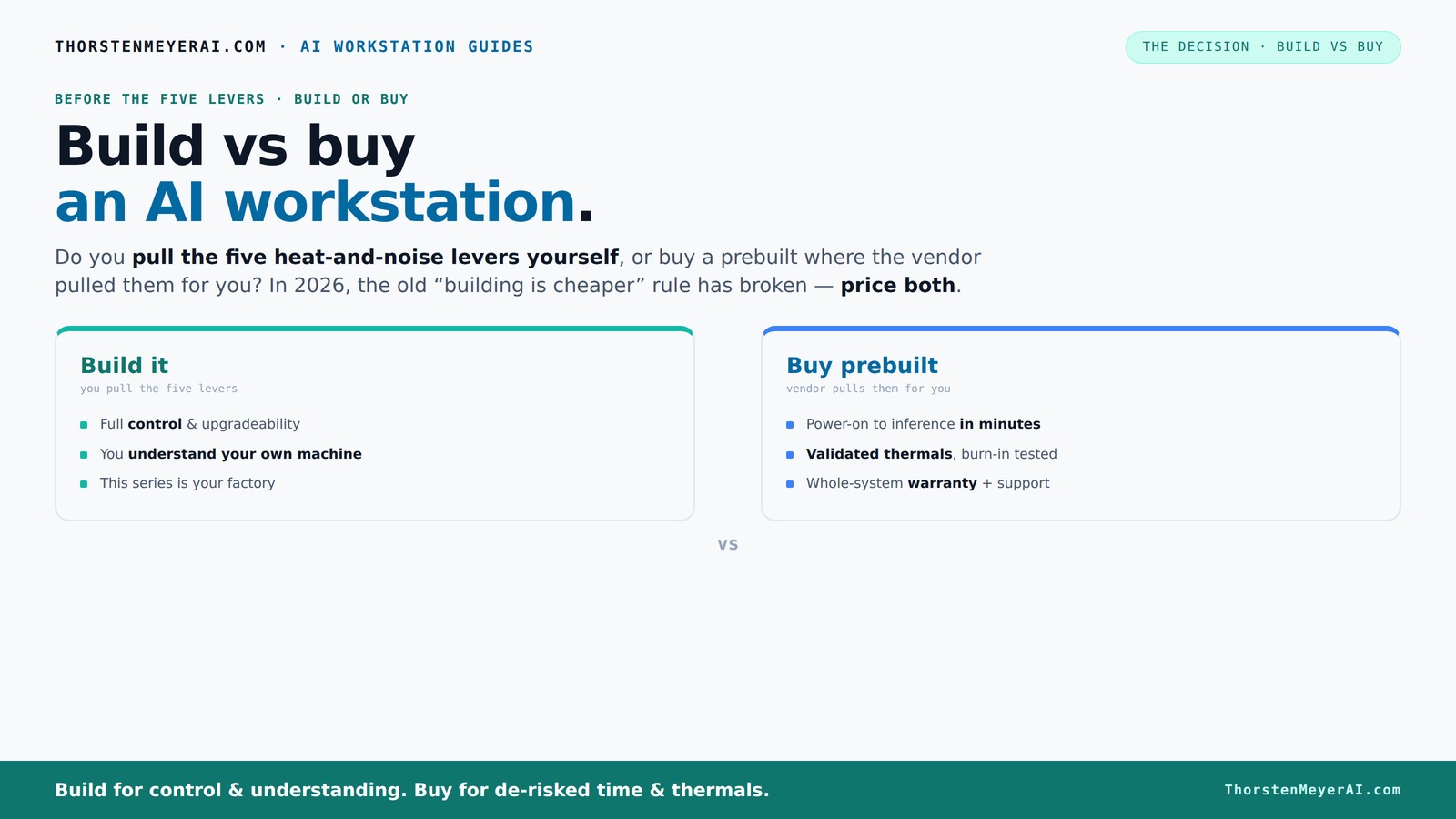
Build vs buy
an AI workstation.
The real question behind this whole series: do you pull the five heat-and-noise levers yourself, or buy a prebuilt where the vendor pulled them for you? And in 2026, the old “building is cheaper” rule has broken. Match your situation in Part 3.
Key Takeaways
- Component shortages in 2026 make prebuilt AI workstations often as cost-effective as DIY builds.
- Prebuilts include validated thermals and support, reducing risk and setup time.
- Building offers control over every component but requires technical skill and time investment.
- Always price both options for your specific configuration — don’t assume DIY is cheaper.
- Ask vendors about warranty, support, and upgradeability before buying a prebuilt system.
As an affiliate, we earn on qualifying purchases.
Why Building Yourself Might Cost More in 2026 Than Buying
Building a high-end AI workstation used to be the cheapest route, but that’s changing fast. Component shortages and bulk buying by vendors have pushed prices up. A custom build that once cost $1,200 now often hits $1,500 or more — before you even add software or support.
For example, a DIY rig with a top-tier GPU like the RTX 4090, 64GB RAM, and fast NVMe SSDs can easily top $2,000 when you factor in all parts, especially if you want quiet, reliable cooling. Meanwhile, some vendors can offer fully tested, optimized systems around that same price point, with warranty and support included.
This shift matters because it changes the fundamental tradeoff: the cost savings of building your own machine are diminishing, and sometimes nonexistent. You need to consider not just the sticker price but also the time investment, troubleshooting, and potential delays involved. When component prices rise and availability becomes unpredictable, the risk of compatibility issues and tuning can outweigh the savings, especially if your goal is to get up and running quickly with a reliable system.
Furthermore, the deeper implications of this shift mean that the traditional advantage of DIY—customization and potential cost savings—are being eroded by market forces. This forces a reevaluation of whether the effort and time spent building are justified, or if the stability, support, and time saved by prebuilt solutions ultimately make them more economical even at a higher initial price.
high performance GPU for AI training
As an affiliate, we earn on qualifying purchases.
As an affiliate, we earn on qualifying purchases.
Who Pulls the Levers? Your Choice: DIY or Vendor?
Building your own AI workstation means you control every lever — GPU undervolting, cooling method, airflow, fan curves. You’re the engineer, tuning for maximum silence and thermal performance. This level of control allows you to optimize for specific workloads, noise levels, and energy efficiency, which can be crucial in demanding or noise-sensitive environments.
Buying prebuilt shifts those levers to the vendor, who validates thermals, tests for hours, and often employs water-cooling or custom airflow setups. Companies like Lambda or Puget Systems don’t just assemble — they stress-test for days and optimize for sustained workload without throttling. This process ensures your system is stable under continuous heavy loads, which is vital for professional AI tasks that run for days or weeks without interruption.
Think of it like this: DIY is a craft, a puzzle you solve, offering customization and learning opportunities. Prebuilt is a factory, delivering a tested, ready-to-run machine designed for reliability and ease. The choice depends on whether you value the process of tuning and control or prefer a plug-and-play solution with peace of mind. Both approaches have tradeoffs: DIY offers flexibility but demands time, expertise, and patience; prebuilt offers convenience but may limit future upgrades or customization options.
Importantly, the level of control in DIY builds allows for fine-tuning to maximize performance per dollar, but it also means you are responsible for identifying and fixing issues that arise from component mismatches or thermal bottlenecks. Conversely, prebuilt vendors often have proprietary validation processes ensuring stability but at the cost of some customization flexibility. Recognizing these tradeoffs helps you align your choice with your technical skill level, patience, and specific workload needs.
professional AI workstation RAM SSD
As an affiliate, we earn on qualifying purchases.
As an affiliate, we earn on qualifying purchases.
Frequently Asked Questions
Is a prebuilt AI workstation worth the extra cost?
For many, yes. Prebuilts come with validated thermals, support, and ready-to-go software. They save time and reduce setup risks, especially for demanding workloads or multi-GPU setups. If your time is valuable, the extra cost often pays for itself.
Will a prebuilt perform as well as a custom build for AI workloads?
In most cases, yes. Vendors optimize their systems for AI tasks with validated cooling, power delivery, and component selection. A well-chosen prebuilt can match or even outperform a DIY setup, especially when considering thermal management and stability under load.
What do I lose by buying prebuilt instead of building myself?
You lose some control over component choices and upgrade paths. Prebuilts might use proprietary parts or limit customization options. Also, DIY allows for more precise tuning and potentially better value if you're willing to put in the effort.
Which parts matter most for AI work: GPU, RAM, CPU, storage, or cooling?
GPU VRAM and compute capability are critical, followed by ample RAM for datasets, cooling to sustain long runs, and a stable power supply. Storage speed matters too, especially for large datasets. Balancing these ensures your AI workflow runs smoothly.
Are prebuilt systems easier to upgrade later?
Generally yes, especially if you choose models with standard components. However, some OEM systems use proprietary parts that complicate upgrades. Always check upgradeability before buying.
As an affiliate, we earn on qualifying purchases.
Conclusion
Choosing between building and buying your AI workstation isn’t just about saving a few bucks. It’s about balancing control, risk, time, and support. If you need a reliable, ready-to-run machine, a prebuilt might be your best move. But if customization and learning appeal to you, building can still be rewarding.
In 2026, the best choice depends on your workload, skills, and patience. Whatever path you pick, make sure it aligns with your goals — and remember, a well-chosen machine is your best partner in AI breakthroughs.
Cold & flu season Picks
humidifiers
As an affiliate, we earn on qualifying purchases.