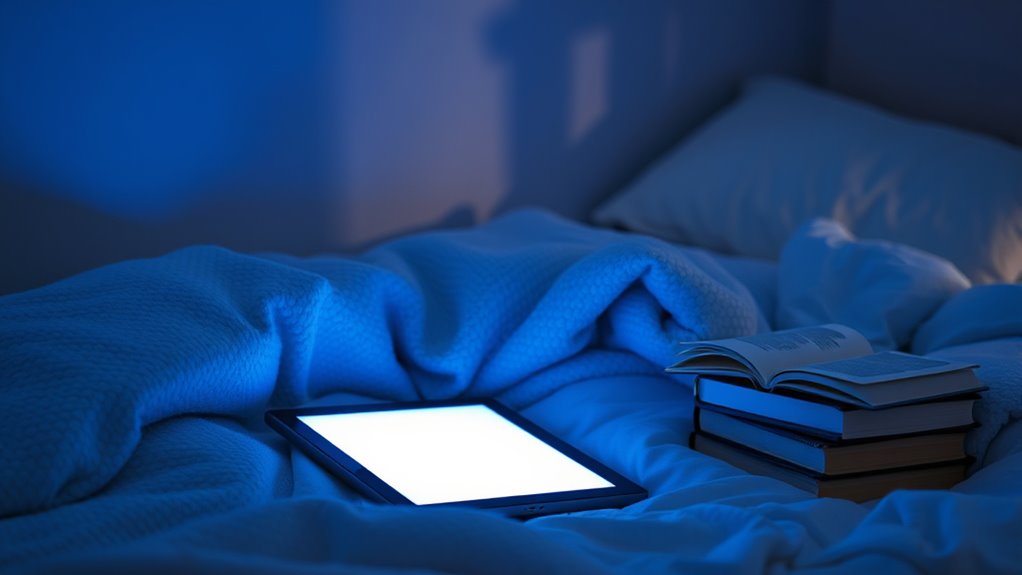

To minimize blue light at night and still relax, start by adjusting your device’s display settings—lower brightness, use night mode, or switch to warmer tones. Wear blue light blocking glasses about 30 minutes before bed, and create a calming environment with soft lighting, warm colors, and soothing scents. Instead of screens, try calming activities like gentle stretching or listening to relaxing sounds. Keep exploring these tips to naturally unwind without overexposure.
Key Takeaways
- Enable night mode or blue light filters on devices and adjust display settings to warmer tones during evening hours.
- Incorporate relaxing scents, ambient lighting, and calming visuals to create a soothing environment away from screens.
- Schedule device-free activities like reading, meditation, or gentle stretching before bed to promote relaxation.
- Wear blue light blocking glasses or use screen protectors especially during the hour before sleep.
- Establish a consistent bedtime routine with dim lighting and calming activities to signal winding down.
Understanding Blue Light and Its Effects on Sleep

Blue light, which is emitted by screens on smartphones, tablets, and computers, can profoundly disrupt your sleep patterns. When you’re exposed to blue light before bed, it suppresses melatonin, the hormone responsible for signaling your body to sleep. This melatonin suppression makes it harder to fall asleep and reduces sleep quality. Additionally, blue light causes circadian disruption, throwing off your internal clock’s natural rhythm. As your circadian rhythm gets out of sync, you may experience difficulty waking up or feeling rested. The more blue light you’re exposed to at night, the greater the impact on your sleep cycle. Understanding this connection helps you realize why controlling blue light exposure is vital for maintaining healthy sleep patterns and overall well-being. Incorporating energy-efficient technology into your devices can also help reduce blue light emissions and support your sleep health. Reducing blue light exposure in the evening is especially important because circadian rhythm disruption can have long-term effects on your overall health. To further protect your sleep, consider using blue light filters or glasses designed to block blue light during evening hours.
Setting Up Your Devices for Better Nighttime Use

To reduce the impact of screen time at night, you can set up your devices to minimize blue light exposure. Start with device customization by adjusting display settings: lower brightness, increase text size, or enable grayscale mode to reduce visual stimulation. Next, modify your screen habits by scheduling specific times for device use and avoiding late-night scrolling. Finally, explore app-specific settings that allow you to dim screens or filter blue light during evening hours. These adjustments help create a more sleep-friendly environment. Remember, consistent device customization and mindful screen habits can considerably lessen blue light’s effect, making it easier to wind down and improve sleep quality at night. Additionally, incorporating free floating elements like outdoor lighting or relaxing natural visuals can help transition your mind from screen activity to restfulness.
Utilizing Built-in Blue Light Filters and Night Mode Settings

Many devices now include built-in blue light filters and night mode settings that make it easy to reduce eye strain and improve sleep. By enabling these features, you can adjust screen brightness to lower levels that are comfortable without sacrificing visibility. Night mode settings often shift the display’s color temperature to warmer tones, which helps minimize blue light exposure. This adjustment can also promote a more natural viewing experience that is easier on your eyes and supports better sleep. Implementing device ergonomics by adjusting these features can contribute to long-term eye health. Additionally, utilizing screen calibration tools can help optimize your display settings for reduced eye fatigue. Properly configuring these settings can also help reduce blue light exposure, which is linked to disrupted melatonin production. This not only protects your eyes but also supports better device ergonomics by encouraging a more natural viewing experience. To maximize benefits, activate these features during evening hours and customize their settings to suit your preferences. Doing so creates a more comfortable environment, reduces eye fatigue, and promotes a healthier sleep cycle without needing extra equipment. Additionally, selecting appropriate color temperature settings can further enhance comfort and reduce strain during extended screen time.
Incorporating Blue Light Blocking Glasses Into Your Routine

Incorporating blue light blocking glasses into your routine offers an effective way to reduce eye strain during evening screen time. These glasses serve as practical fashion accessories, combining style with functionality. Look for options with ergonomic design to guarantee comfort during extended wear. To maximize benefits, consider these steps:
Boost comfort and protect your eyes with stylish, ergonomic blue light blocking glasses before bedtime.
- Choose glasses with amber or yellow-tinted lenses that block blue light effectively.
- Select frames that suit your face shape and match your personal style for daily use.
- Wear them consistently 30 minutes before bedtime to signal your body to wind down.
- Understanding the science behind blue light exposure can help you make more informed choices about your eye health and support your sustainable travel habits by reducing eye fatigue after long days of exploring eco-friendly destinations.
- Being aware of the air quality in your environment can further enhance your overall relaxation and sleep quality.
Creating a Relaxing Environment to Minimize Screen Dependence

Creating a calming space, start by choosing dim lighting that signals your body it’s time to relax. Add soothing scents like lavender or chamomile to help ease your mind, and opt for soft, warm colors in your decor. These simple changes can make your environment more inviting and reduce your reliance on screens before bed. Incorporating smart lighting can further enhance your environment by allowing you to customize brightness and color temperature to promote relaxation. Additionally, integrating sound healing science principles, such as gentle ambient sounds or specific frequencies, can deepen your sense of calm and help prepare your mind for restful sleep. Using connected home fitness technology can also support long-term health by creating routines that promote relaxation and overall well-being. Ensuring your workspace supports long-term well-being can make your relaxation routines more effective and sustainable.
Dim Lighting Choices
Creating a relaxing environment before bed starts with choosing the right lighting. To reduce blue light exposure, opt for dim lighting that promotes calmness. Use ambient lighting to create a gentle glow without glare or harshness. Proper lamp placement is key: position lamps away from your direct line of sight, ideally behind or beside you, to avoid bright spots. Consider these three tips:
- Use warm-colored bulbs to mimic sunset tones.
- Place lamps strategically to soften overall illumination.
- Dim or turn off overhead lights, relying instead on ambient sources.
- Incorporate inner wisdom into your nighttime routine by tuning into your body’s signals for relaxation. Additionally, selecting appropriate lighting can further enhance your sleep environment by supporting your circadian rhythm. Being mindful of lighting choices can help you create a more restful space that naturally encourages melatonin production and relaxation. This setup minimizes eye strain and encourages melatonin production, helping you unwind. Keeping lighting soft and well-placed makes it easier to relax and resist the temptation of screen time before bed.
Incorporate Relaxing Scents
Adding calming scents to your bedtime routine can markedly reduce your urge to reach for screens. Aromatherapy benefits are well-documented, especially when using calming essential oils like lavender, chamomile, or ylang-ylang. These scents help signal your brain to relax, making it easier to unwind without digital stimulation. To enhance your environment, consider diffusing essential oils or applying them topically. Incorporating calming essential oils such as lavender, chamomile, or ylang-ylang can further promote relaxation and improve sleep quality. Additionally, selecting natural remedies such as herbal teas or supplements can further promote relaxation and improve sleep quality.
Use Soft, Warm Colors
Soft, warm colors can transform your bedroom into a calming space that naturally discourages screen use. This approach leverages color psychology to create a soothing atmosphere, making it easier to unwind without screens. Use ambient lighting with hues like amber, peach, or gentle terracotta to evoke relaxation and reduce eye strain. To enhance this environment, consider:
- Choosing wall paints or decor in warm, muted tones that promote tranquility.
- Installing dimmable lights with warm color temperatures to adjust the mood as needed.
- Incorporating soft textiles, such as bedding or curtains, in complementary warm shades to deepen the calming effect.
- Incorporating safe installation practices for lighting and decor to ensure a comfortable and secure environment.
Exploring Alternative Evening Activities to Reduce Screen Time

To cut down on screen time at night, try shifting your evening routine toward engaging activities that don’t involve screens. You might explore meditation techniques to help you unwind or create a cozy reading nook where you can enjoy a book without blue light distractions. These activities promote relaxation and prepare your mind for restful sleep. To ensure your writing remains clear and engaging, consider using tools that help detect passive voice effortlessly.
Establishing a Consistent Bedtime Routine for Restful Sleep

Creating a consistent bedtime routine helps your body recognize when it’s time to wind down, making it easier to fall asleep and enjoy restorative rest. Establishing sleep-friendly routines sets the stage for quality sleep by signaling to your body that bedtime is near. To build effective bedtime rituals, consider these steps:
- Choose a specific time each night to go to bed and wake up, reinforcing your body’s internal clock.
- Engage in calming activities like reading or gentle stretching, avoiding screens and blue light.
- Create a relaxing environment by dimming lights and using soothing scents or sounds.
Frequently Asked Questions
How Does Blue Light Impact Melatonin Production?
Blue light suppresses melatonin production, disrupting your sleep cycle. When you’re exposed to blue light, your body struggles to produce enough melatonin, making it harder to fall asleep and stay asleep. To minimize blue light suppression, consider using blue light filters or glasses, and limit screen time before bed. This helps your melatonin levels stay balanced, promoting better sleep and relaxation.
Are There Specific Devices That Emit Less Blue Light?
Certain devices are crafted with gentle illumination, emitting less blue light thanks to specific device specifications. Look for screens labeled “night mode” or “blue light filter,” as they’re designed to provide alternative lighting that’s easier on your eyes. Devices like e-readers with e-ink screens produce minimal blue light, making them excellent options. By choosing these, you can unwind comfortably without interfering with your melatonin production.
Can Blue Light Filters Affect Screen Clarity or Color Accuracy?
Blue light filters can slightly affect screen clarity and color accuracy, but if you use quality filters, the impact is minimal. They work by reducing blue light emissions, but sometimes they require display calibration to make sure colors stay true. You might notice minor color shifts, especially with vibrant images or detailed work. To stay comfortable and accurate, choose well-designed filters and adjust your display calibration settings as needed.
What Are the Best Non-Screen Activities to Relax Before Bed?
Did you know over 60% of people find non-screen activities help them sleep better? You should try reading books or practicing meditation before bed. Both activities reduce blue light exposure, promoting relaxation and better sleep quality. Reading calms your mind, while meditation relaxes your body. Avoid screens, and instead, choose these calming alternatives to unwind, ensuring you wake up refreshed and ready for the day ahead.
How Long Before Sleep Should I Stop Using Screens?
You should stop screen time at least 30 to 60 minutes before your bedtime routine. This helps reduce blue light exposure, which can interfere with melatonin production and delay sleep. By disconnecting earlier, you give your body time to wind down naturally. Incorporate relaxing activities into your bedtime routine, like reading or gentle stretches, to promote better sleep and guarantee your screen time doesn’t disrupt your rest.
Conclusion
By gently dimming the glow of your screens as evening falls, you create a cozy sanctuary for your mind to unwind. Embrace calming activities and thoughtful routines that softly lull you into restful sleep, like a gentle breeze calming ripples on a still pond. With mindful choices, you’ll nurture a peaceful night’s journey, where serenity blooms in the quiet darkness. Let your evenings become a gentle retreat, guiding you toward brighter mornings.